32 Coding Agent Apps Reviewed
In 2012 I reviewed every JavaScript MVC framework I could find. Fourteen years later, the world is a completely different place, but the same thing is happening again, this time to apps that run coding agents: a new one every week, most of them free, many of them one person’s side project, all of them promising to tame the terminal tabs. Here are thirty-two, scored on the ten things I care about.
They come in two kinds. ADEs (agentic development environments) are apps your agents move into: you open a thread inside one, and it runs Claude Code or Codex for you. Islands are small notch apps that watch your agents wherever you already run them and let you answer without switching windows. The model vendors also ship apps of their own.
These are tools for the centaur era we’re in now: a developer and their agents working as one team. Some are already heading toward the software factory (Emdash 2.0, Capy’s Captains, Warp’s Factories), where tickets go in, pull requests come out and nobody sits at the controls. Even Steve Yegge, who runs one and burned down the five before it, tells most people they probably don’t need one yet.1 That isn’t how I work either, so every criterion below is about the human half of the centaur. Factories will need a list of their own.
How I Judged Them
Specifically, the following ten things are very important to me:
- Triage. Sorting sessions by status isn’t enough. I want a model that reads what each waiting session is asking, and that sends each new prompt where it belongs: the session already on that work, or the worktree it fits. That gets full marks. A queue sorted by status, or routing by capacity alone (the machine with free CPU, the account with room), gets half.
- Native harnesses. I like using each harness the way its maker built it, now and then in its own app (Claude’s design tools, say). I don’t want every session forced through ACP inside an ADE, or into a TUI, and I want to choose which version of each harness runs. An ADE that drives Claude Code through Anthropic’s SDK is also drawing on a smaller pool of your subscription’s credits than you’d get typing into it yourself.2
- Existing sessions. The moment it’s installed, it should pick up every session I started anywhere else, and make them all searchable.
- Mobile. It has to work on my phone.
- Open source, with a permissive license. For a developer in this day and age, that’s non-negotiable. These apps see all of your code and run commands on your machine, and the tool itself needs to be hackable. Bonus points (★) if it can start an agent on its own source, so you can change it from the inside.
- Working memory. A big part of agentic development is keeping everything straight in your own head. Lightweight todos, boards, labels and emblems get some of it out of there.
- Automation. Recurring schedules, and automatic pull request reviews, which are a must. Cloud review services are prohibitively expensive, especially when you’re already paying for subscriptions.
- Multi-machine. When my laptop’s lid is closed, the work, reviews included, should carry on on another machine. Starting sessions, prompting them and automation should all work across devices.
- Your editor. I don’t want to be channeled into reading and editing code inside the tool. It should open the editor I already use.
- A desktop app. Not a TUI: a real app, native if possible, that lives in the notch or the menu bar rather than only in its own window. An app whose only presence outside its window is notifications gets half.
A full mark is a point, a half is half a point, and a feature you have to pay extra for, beyond the agent plans you already have, gets half at most. These ten are the reasons I built Codealong, so of course it does well on them. If your list is different, read the scorecard a column at a time.
The Results
| App | Kind | Triage | Harnesses | Sessions | Mobile | Open | Memory | Automation | Machines | Editor | Desktop | Score |
|---|---|---|---|---|---|---|---|---|---|---|---|---|
| Codealong | Both | full marks | full marks | full marks | half marks | full marks | full marks | full marks | full marks | full marks | full marks | 9½ ★ |
| Orca | ADE | half marks | half marks | full marks | full marks | full marks | full marks | full marks | full marks | full marks | half marks | 8½ |
| Cloudroom | ADE | full marks | half marks | half marks | full marks | full marks | full marks | half marks | full marks | full marks | half marks | 8 |
| T3 Code | ADE | half marks | half marks | half marks | full marks | full marks | half marks | full marks | full marks | full marks | half marks | 7½ ★ |
| Diri | ADE | full marks | half marks | full marks | half marks | half marks | full marks | half marks | full marks | full marks | half marks | 7½ |
| Paseo | ADE | half marks | half marks | half marks | full marks | full marks | half marks | full marks | full marks | full marks | half marks | 7½ |
| bb | ADE | half marks | half marks | no marks | full marks | full marks | full marks | half marks | full marks | full marks | half marks | 7 |
| MonoCode | ADE | half marks | half marks | no marks | half marks | full marks | half marks | full marks | full marks | full marks | full marks | 7 |
| Synara | ADE | full marks | half marks | half marks | half marks | full marks | full marks | half marks | half marks | full marks | half marks | 7 |
| Traycer | ADE | half marks | half marks | half marks | full marks | half marks | full marks | no marks | full marks | full marks | full marks | 7 |
| Claude desktop | Vendor | full marks | no marks | half marks | full marks | no marks | half marks | half marks | full marks | full marks | full marks | 6½ |
| Coucou | Island | half marks | full marks | half marks | full marks | full marks | half marks | no marks | half marks | half marks | full marks | 6½ |
| Emdash | ADE | half marks | full marks | no marks | no marks | full marks | half marks | half marks | full marks | full marks | full marks | 6½ |
| Paradev | ADE | half marks | half marks | no marks | half marks | full marks | full marks | half marks | half marks | full marks | full marks | 6½ |
| Herdr | ADE | half marks | full marks | no marks | full marks | full marks | half marks | no marks | full marks | half marks | half marks | 6 |
| Warp | Vendor | half marks | full marks | no marks | full marks | half marks | half marks | half marks | half marks | full marks | half marks | 6 |
| CodeIsland | Island | half marks | full marks | half marks | half marks | full marks | no marks | no marks | half marks | half marks | full marks | 5½ |
| Codex app | Vendor | half marks | no marks | half marks | half marks | no marks | half marks | half marks | full marks | full marks | full marks | 5½ |
| Conductor | ADE | half marks | half marks | no marks | full marks | no marks | full marks | half marks | half marks | full marks | half marks | 5½ |
| super.engineering | ADE | half marks | half marks | ?couldn’t tell | full marks | no marks | half marks | half marks | full marks | full marks | half marks | 5½ |
| Zeron | ADE | half marks | half marks | no marks | full marks | full marks | half marks | no marks | full marks | half marks | half marks | 5½ |
| Open Island | Island | half marks | full marks | half marks | half marks | half marks | no marks | no marks | half marks | half marks | full marks | 5 |
| AgentPeek | Island | half marks | full marks | half marks | no marks | no marks | half marks | no marks | half marks | half marks | full marks | 4½ |
| Cursor | Vendor | half marks | no marks | half marks | half marks | no marks | half marks | half marks | full marks | no marks | full marks | 4½ |
| Ping Island | Island | half marks | full marks | half marks | no marks | full marks | no marks | no marks | half marks | no marks | full marks | 4½ |
| Capy | ADE | half marks | no marks | half marks | half marks | no marks | half marks | half marks | half marks | half marks | half marks | 4 |
| Google Antigravity | Vendor | half marks | no marks | half marks | half marks | no marks | half marks | half marks | half marks | half marks | half marks | 4 |
| Agent Island | Island | half marks | full marks | half marks | no marks | half marks | no marks | no marks | no marks | no marks | full marks | 3½ |
| Notchi | Island | half marks | full marks | half marks | no marks | half marks | no marks | no marks | no marks | no marks | full marks | 3½ |
| Vibe Island | Island | half marks | full marks | half marks | no marks | no marks | no marks | no marks | half marks | ?couldn’t tell | full marks | 3½ |
| AgentNotch | Island | half marks | full marks | half marks | no marks | no marks | no marks | no marks | no marks | no marks | full marks | 3 |
| Vibe Notch | Island | half marks | no marks | half marks | no marks | full marks | no marks | no marks | no marks | no marks | full marks | 3 |
full marks, half, none, and ? where I couldn’t tell. ★ marks an app that can start an agent on its own source, and only breaks ties. Every mark comes from the app’s own docs, README, changelog or source, as of mid-November 2026.
The Apps
1. Codealong GitHub
ADE and island · Tauri · Phone: iPhone (early) · Apache-2.0 · Free
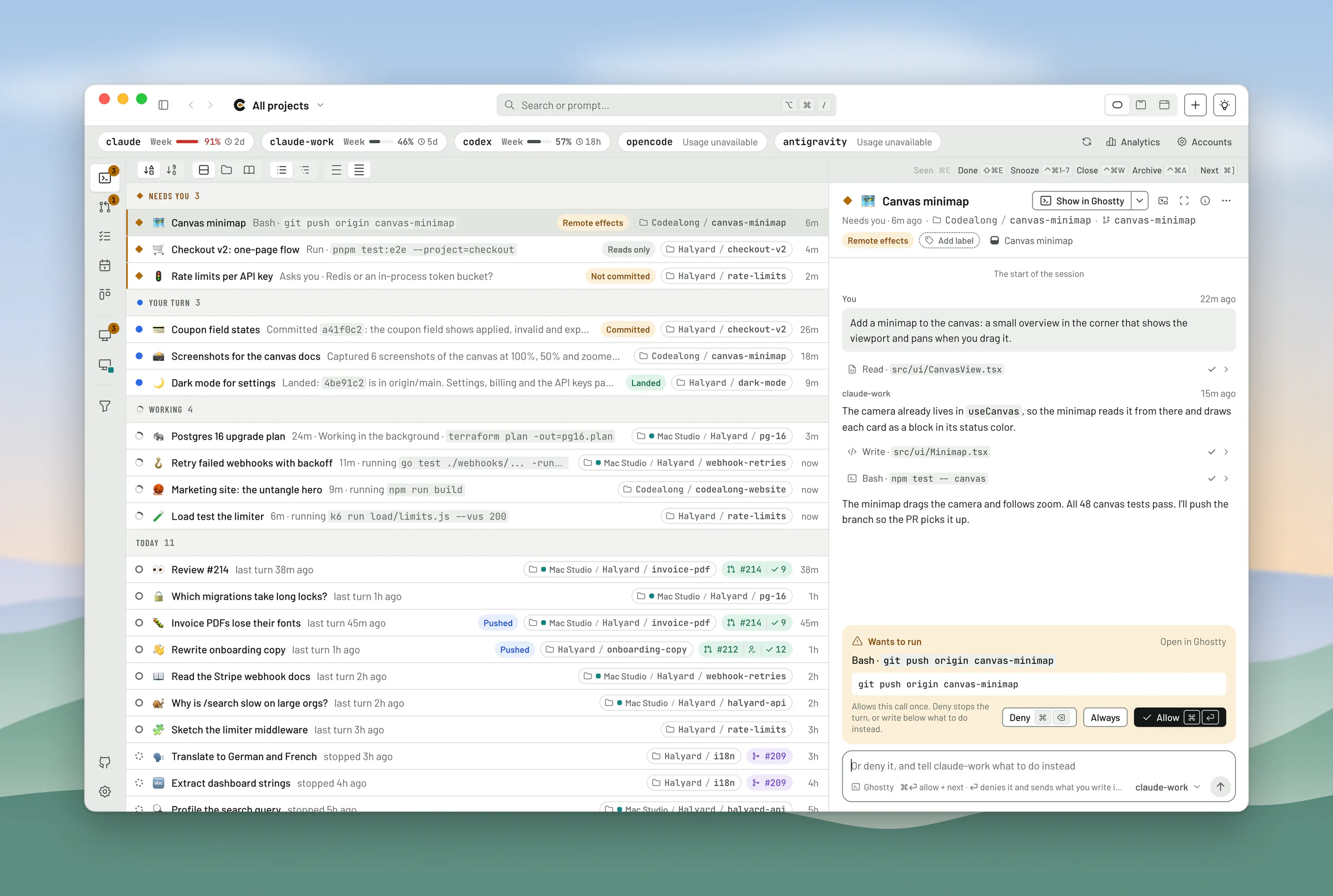
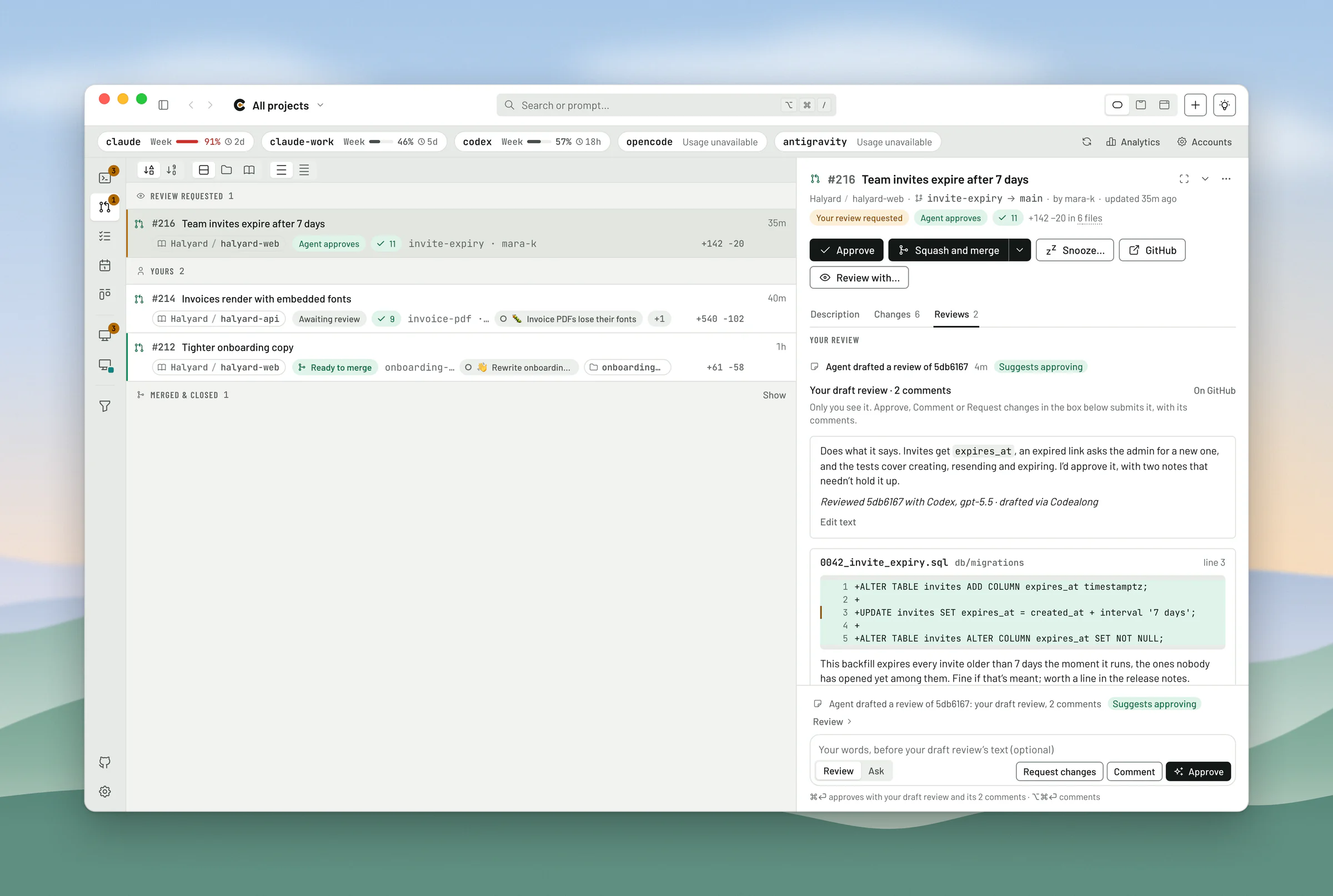
Codealong is the one I make. I built it because I couldn’t find anything that was solid on all ten of the criteria above. It’s free and open source, built on Tauri with a Rust engine, for macOS, with early builds for Linux and Windows that you make from source. It watches every agent session on your machine the way an island does, and gets work out the door the way an ADE does. Download it, or brew install --cask codealong/tap/codealong.
Pros
- Full marks. Triage. Press ⌥⌘. in any app and the notch opens on the agent that has waited longest; ⌘⏎ answers it and moves on. Jev, its decision model, reads each finished turn for whether it asks you something, and sends a prompt you type to the session already on that work, or to the worktree it belongs in.
- Full marks. Harnesses. It doesn’t host your agents. New work starts in your terminal, as a background job or in the Claude and Codex apps, and each account names the command it runs, so you choose the build of each harness.
- Full marks. Sessions. It reads the records each agent already writes, so the moment it’s installed it finds every session you’ve started with Claude Code, Codex, OpenCode, Antigravity and Cursor, and all of them are searchable.
- Full marks. Open source. Apache-2.0, and ⌥⌘, opens a session on Codealong’s own source with a picture of every window, which is where the ★ comes from.
- Full marks. Memory. Todos your agents can pick up and finish, labels, pins, and an emblem on every session.
- Full marks. Automation. Schedules, and automatic pull request reviews that run on the plans you already pay for, by a different model from the one that wrote the code.
- Full marks. Machines. Link your machines and they share the work: one of them reviews each pull request, and when the laptop’s lid closes, another picks it up.
- Full marks. Editor and desktop. It opens any of a dozen editors, and it lives in the notch and the menu bar.
Cons
- Half marks. Mobile. Its iPhone app is early, and for now you build it yourself.
- It knows five agents, not thirty, and a Codex session in a terminal still asks for approvals in its own terminal.
- It’s Mac first. Linux and Windows are early builds you make from source; on Windows, sessions open in Windows Terminal, and Codealong can’t yet type into them or find their tab. Its boards are experimental, and it’s young (version 0.21).
Score: 9½ ★. Best for keeping your terminal and your vendors’ apps, across agents, accounts and Macs, with every pull request reviewed before you read it. That’s the case I built it for.
The ADEs
The apps your agents move into, best score first.
2. Orca GitHub
ADE · Electron · Phone: iOS and Android · MIT · Free
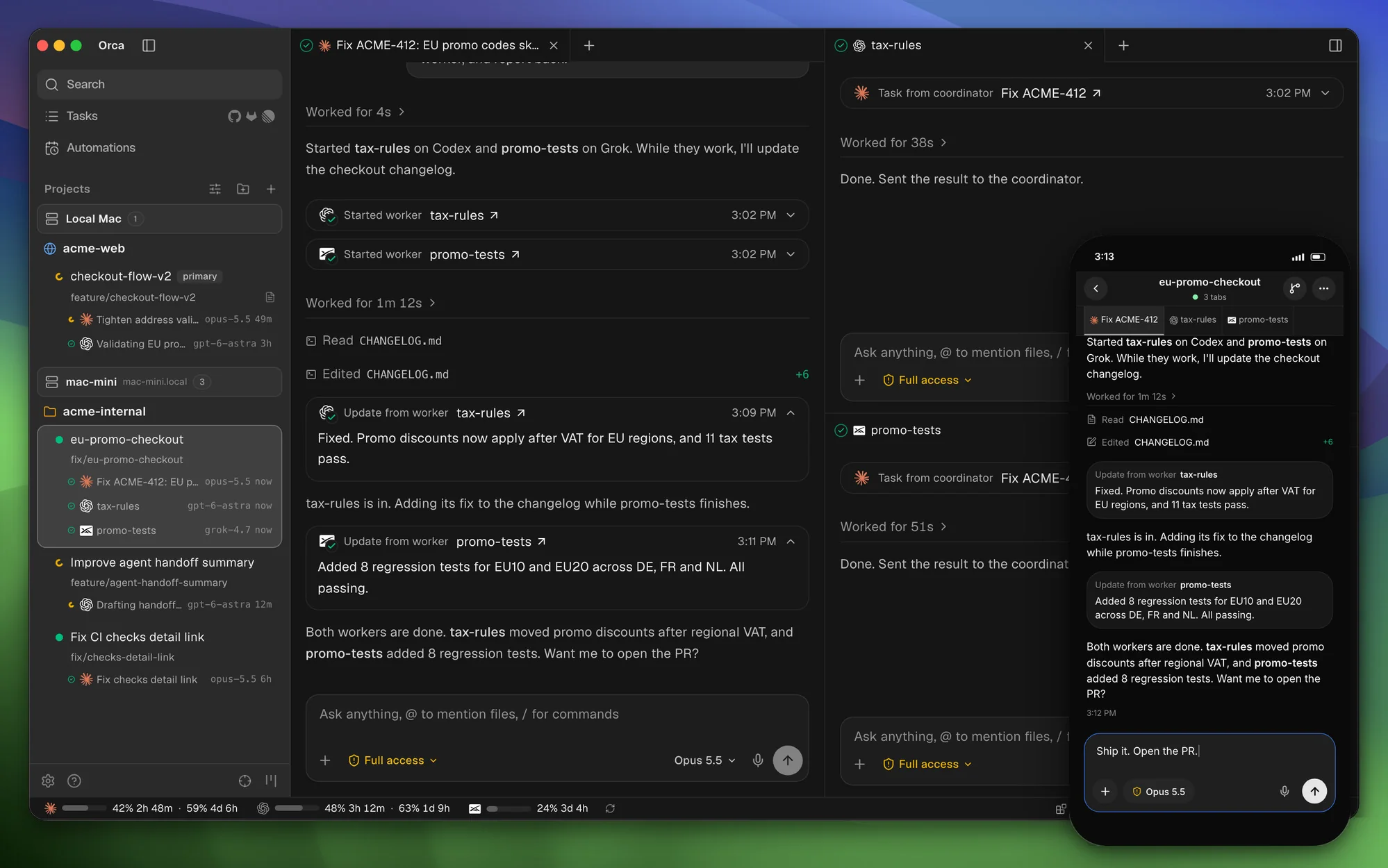
Orca is the giant: 124,000 GitHub stars, a 25-person YC team at Stably AI, and around a thousand releases since March. It runs about thirty agents in its own terminal panes or a chat view, and piles on the extras: a coordinator that hands tasks to workers, an embedded browser whose Design Mode sends the element you click to the agent, computer use, and a cloud VM per worktree.
Pros
- Full marks. Sessions. Its session history scans the records of Claude Code, Codex and some twenty other CLIs with nothing to turn on, searchable by title, folder, branch and text.
- Full marks. Mobile. iOS and Android apps, both still labeled beta, start agents and answer their questions.
- Full marks. Open source. MIT.
- Full marks. Memory. A Workspace Board keeps your worktrees in columns of your own.
- Full marks. Automation. Scheduled automations run on any of your hosts, and the docs’ own recipe reviews the pull requests waiting on you every hour.
- Full marks. Machines. SSH targets, remote servers that keep going while your laptop sleeps, and cloud VMs share one window.
- Full marks. Editor. An Open in menu offers the editors you have.
Cons
- Half marks. Triage. Its Agents feed is one list across every worktree, but it’s ordered by time and status, and nothing decides for you. Its coordinator, which hands a task to worker agents, is orchestration rather than triage.
- Half marks. Harnesses. It runs your own CLI and lets you set its path, but every session lives inside Orca, in its panes or its chat.
- Half marks. Desktop. An Electron app with notifications and a Dock badge, but nothing in the notch or the menu bar; two pull requests that would add a notch indicator are still open.
- One reviewer measured 400 to 800 MB at idle, and users report flaky remote connections and outside pull requests that wait weeks for a review.3
Score: 8½. Best for moving in, if you want everything in one place.
3. T3 Code GitHub
ADE · Electron · Phone: iOS and Android · MIT · Free
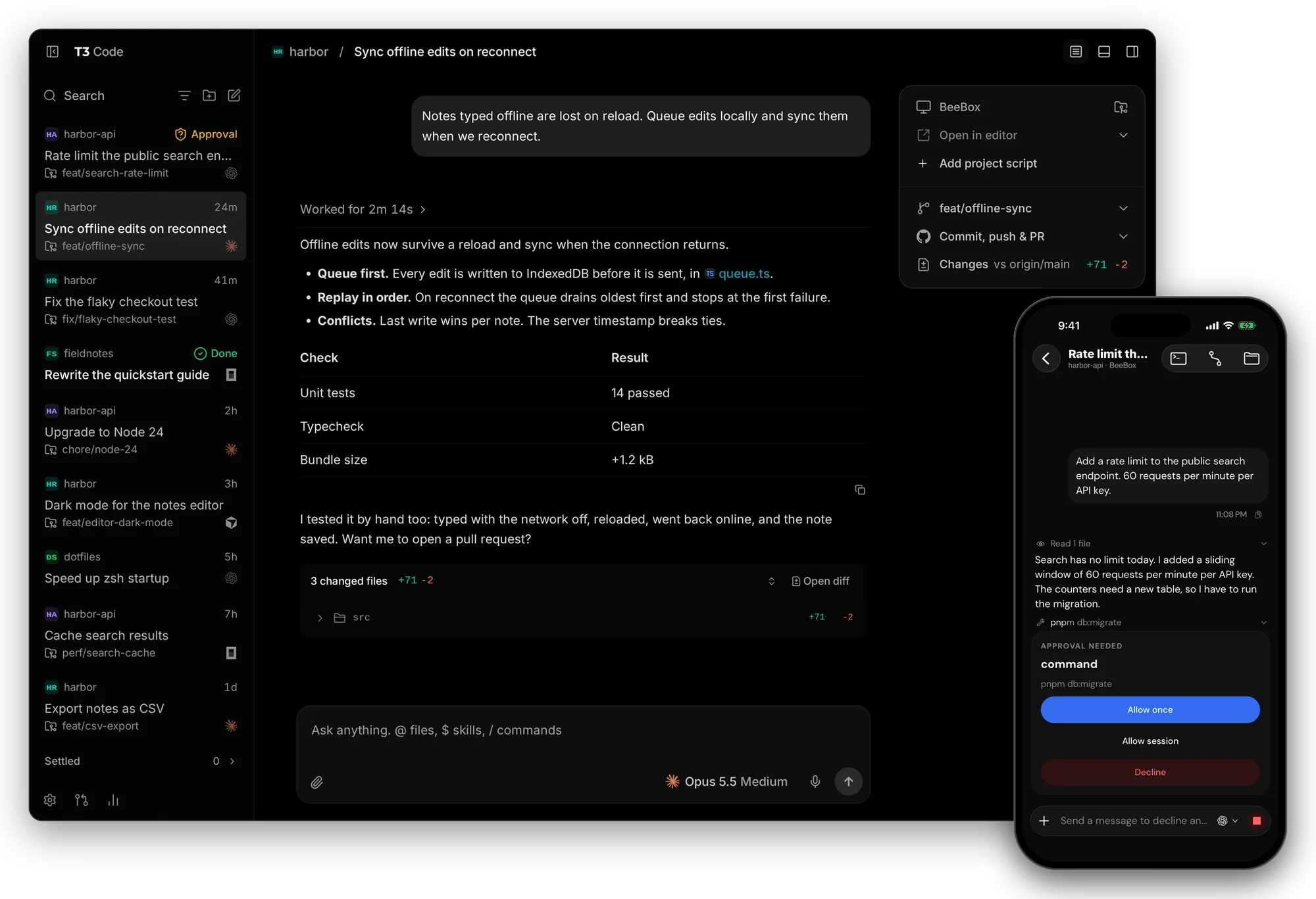
T3 Code is Theo Browne’s “open-source control plane for coding agents”. A local server runs your agents and every client mirrors it: desktop apps for macOS, Windows and Linux, a web app, and iOS and Android apps, connected over your network, Tailscale or T3 Connect. It can hand a thread from Claude to Codex halfway through.
Pros
- Full marks. Mobile. iOS and Android apps read threads, answer approvals and start new ones.
- Full marks. Open source. MIT, and its “Triage an issue” action points an agent at T3 Code’s own source, which earns the ★.
- Full marks. Automation. Scheduled tasks run on your own machine, and a webhook task, whose documented example reviews each pull request, takes care of reviews (its public URL needs T3 Connect).
- Full marks. Machines and editor. One app connects to several machines, and its Open in menu covers every common editor.
Cons
- Half marks. Triage. Its thread list is an inbox you settle and snooze, but its decisions are about capacity: Auto balance picks the machine for a new thread by its free CPU and memory. A Labs feature suggests your next prompt in a thread, which is closer to autocomplete than to triage.
- Half marks. Harnesses. Claude Code runs through Anthropic’s Agent SDK and Codex through its app-server, both inside T3 Code, though you can set the binary.
- Half marks. Sessions. It imports your last 30 days of Claude Code, Codex and Pi conversations once, at first run, rather than keeping up.
- Half marks. Memory. Pins, snoozes and project icons, but no todos or boards.
- Half marks. Desktop. Electron, with notifications and a badge, but nothing in the menu bar.
Score: 7½ ★. Best for a phone-first ADE with a big community behind it.
4. Paradev GitHub
ADE · Electron · Phone: iPhone (Pro) · MIT · Free, Pro $20 a user
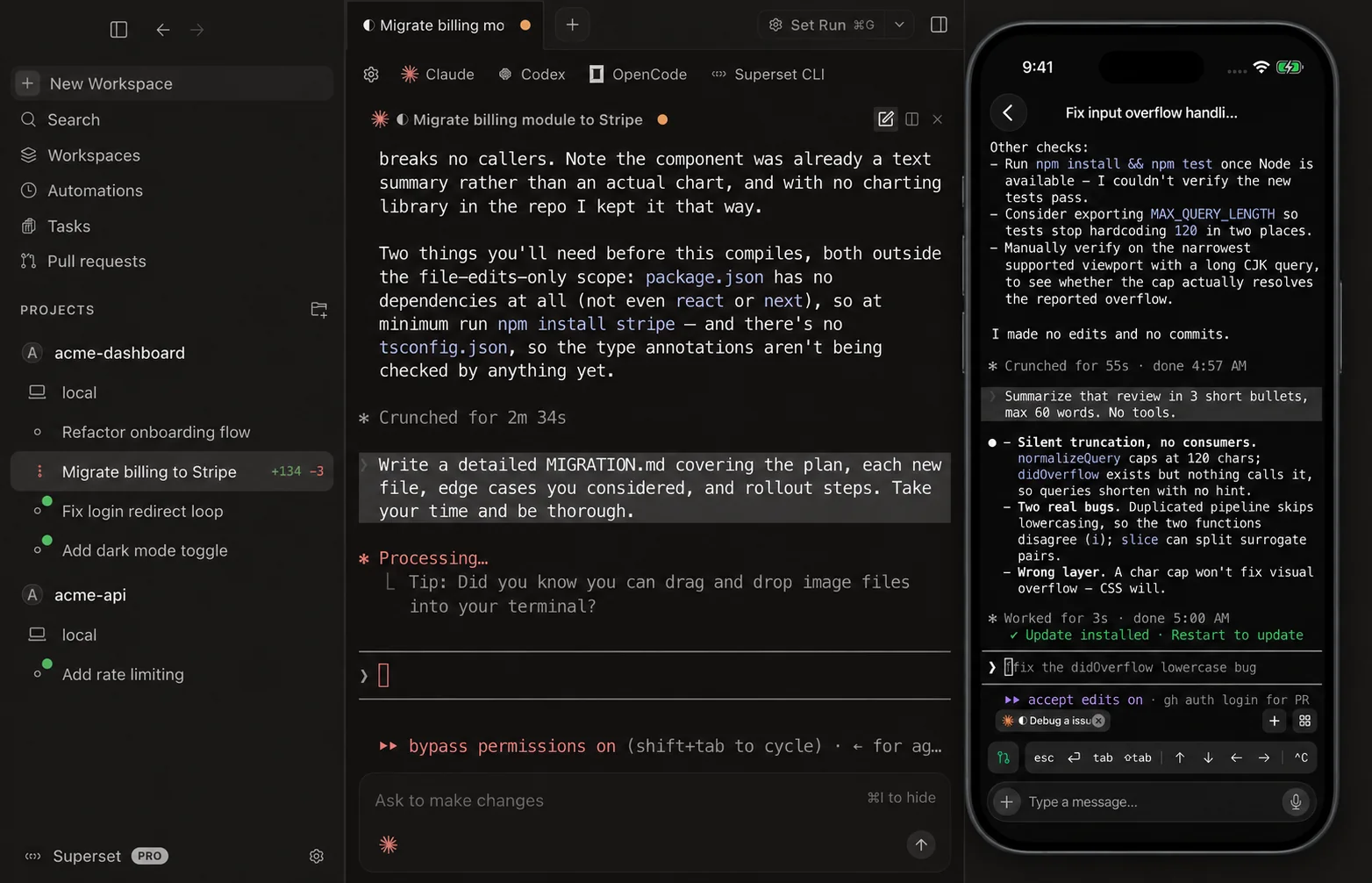
Paradev is Superset, renamed in October alongside an $11.5M seed round led by Union Square Ventures.4 It bills itself as an open-source alternative to the Codex app and Conductor: 21 agents fully supported, and any CLI agent besides.
Pros
- Full marks. Open source. MIT since November 4, after nine months under the Elastic License.
- Full marks. Memory. Tasks with list and board views, priorities and labels.
- Full marks. Editor and desktop. It opens every common editor, and it sits in the menu bar.
Cons
- Half marks. Triage. A Needs attention lane across every workspace, sorted by status. Its Slack bot decides whether a request becomes a ticket or a new agent, but never sends it to a thread already on the work.
- Half marks. Harnesses. Sessions live in its own terminal daemon, though you choose the binary.
- Half marks. Mobile. The iPhone app needs Pro and iOS 26, and Android is a waitlist.
- Half marks. Automation and machines. Automations run on a schedule or on GitHub events, a review request among them, on the device you pick and with your own subscription, and remote access spans your machines. Both need Pro, at $20 a user a month.
- No marks. Sessions. It imports Git worktrees, not chats, not even Conductor’s.
- It’s Mac only, with Linux experimental.
Score: 6½. Best for teams that want automations and boards, and will pay for Pro.
5. Paseo GitHub
ADE · Electron · Phone: iOS and Android · Apache-2.0 · Free, hosted Hub $15 a seat
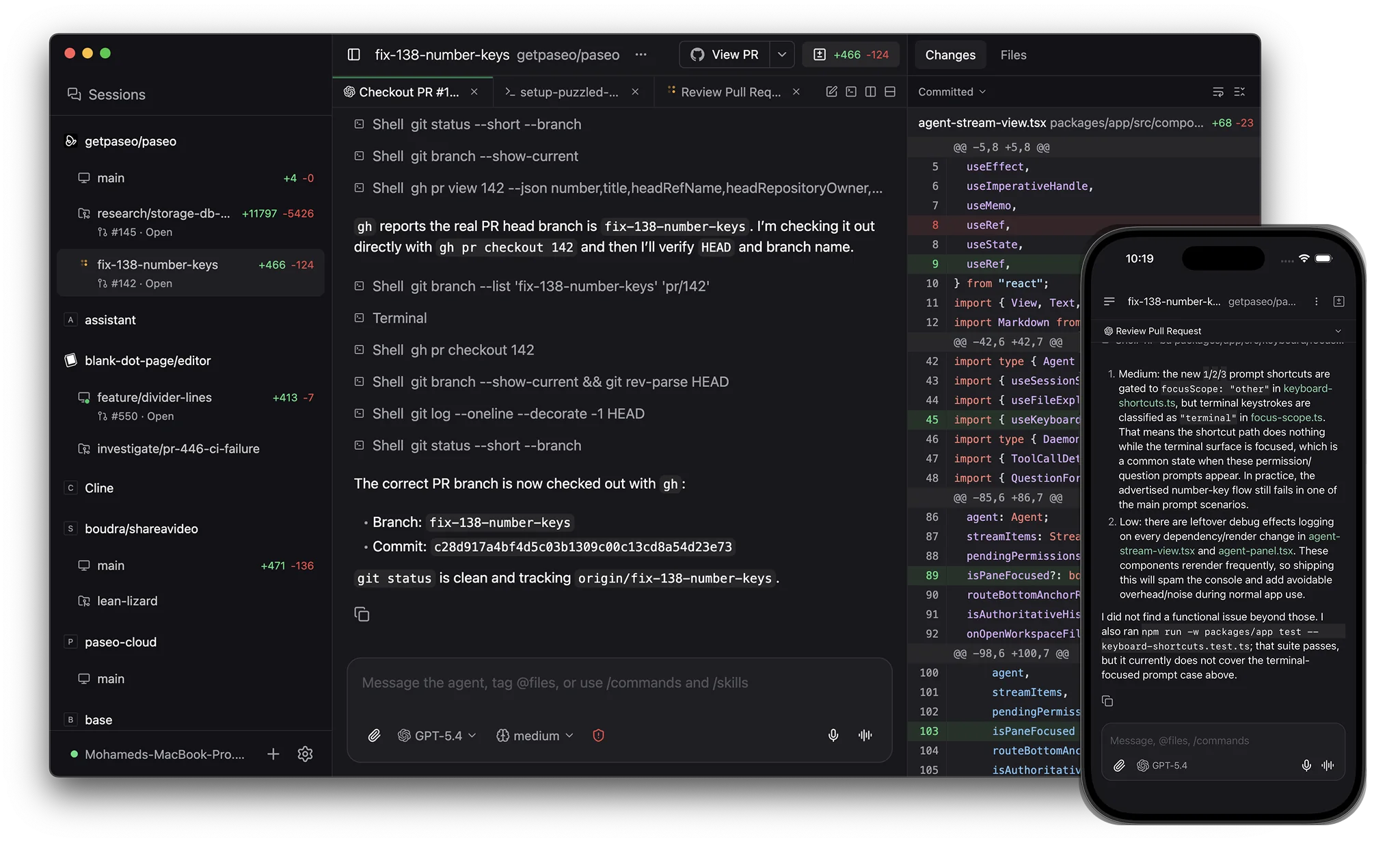
Paseo is one person’s work (Mohamed Boudra, who has turned down funding), and it reaches further than almost anything here. A daemon runs your agents, and everything connects to it, directly or through an end-to-end encrypted relay: desktop apps for macOS, Windows and Linux, iOS and Android apps, a web app, a CLI and a Docker image. People report moving whole teams to it in a week.5
Pros
- Full marks. Mobile. Its iOS and Android apps are, in its own words, “the full app”.
- Full marks. Open source. Apache-2.0, with no telemetry, and its agents can change Paseo’s plugins from the inside.
- Full marks. Automation. Schedules run on your daemons, and a Hub workflow reviews each new pull request using your own machines and subscriptions (Hub is free to host yourself).
- Full marks. Machines and editor. Agents can start and prompt agents on your other machines, and Open in editor remembers your choice.
Cons
- Half marks. Triage. It groups the sidebar by status. A Hub workflow can have a model classify a prompt, but only to start a new agent, never to send it to one already on the work.
- Half marks. Harnesses. Claude Code runs through the Agent SDK, with its smaller pool of credits; to its maker’s credit, he says so, and Paseo has a terminal for when you want the full plan.
- Half marks. Sessions. You import outside sessions one at a time.
- Half marks. Memory. Pins and labels, with todos left to plugins.
- Half marks. Desktop. Electron, with notifications but no menu bar.
- A lot rests on one person.
Score: 7½. Best for the widest reach, from your desk to your phone to a Docker container.
6. Cloudroom GitHub
ADE · Electron · Phone: web · Apache-2.0 · Free, cloud from $50 a month
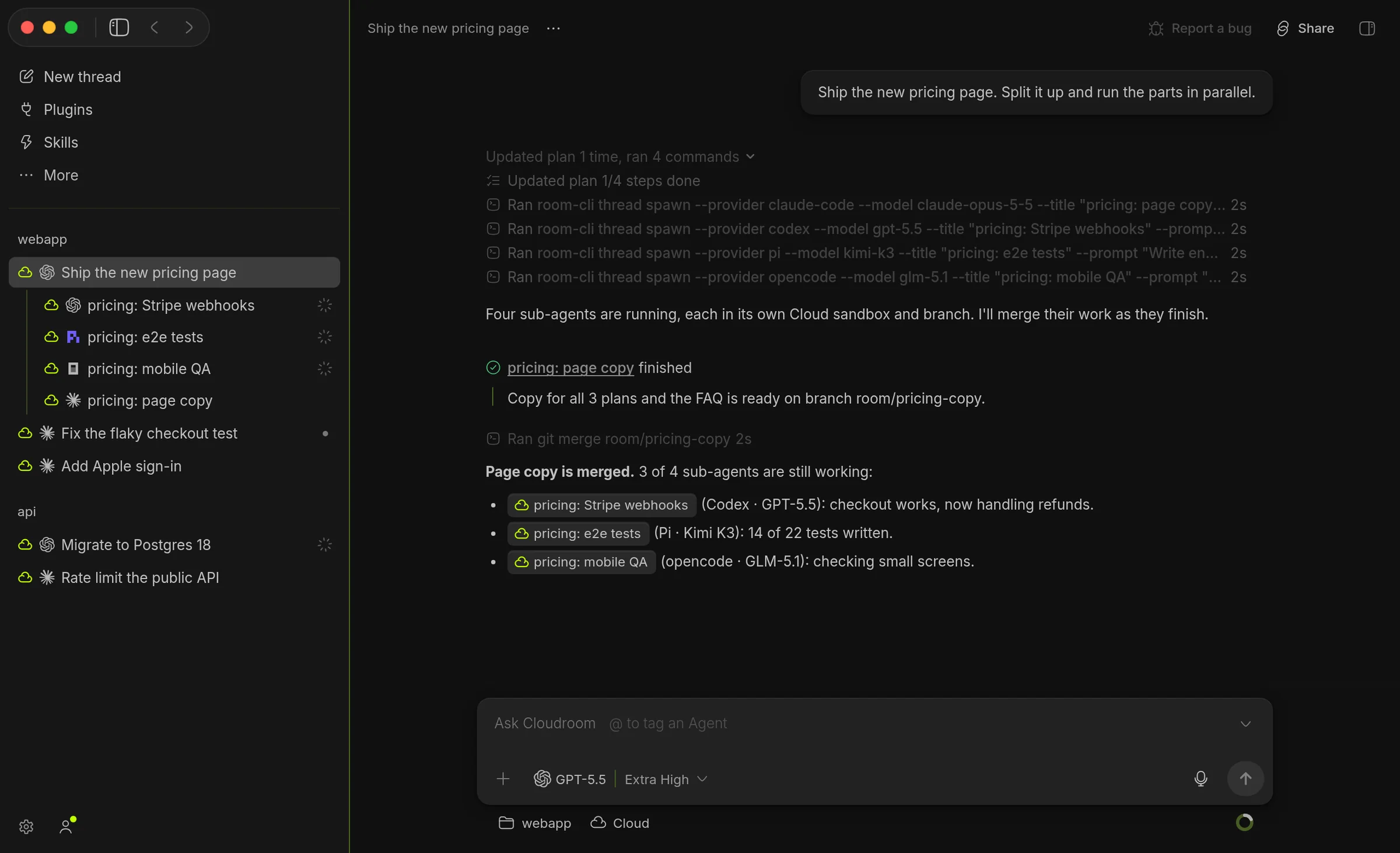
Cloudroom is David Ondrej’s app for macOS, Windows and Linux, Electron over a Rust core, that runs Claude Code, Codex, Pi and OpenCode on your Mac or in its own cloud sandboxes.
Pros
- Full marks. Triage. Beyond status, models keep a purpose and a percent done on each thread and suggest your next prompt, both on by default, and a new prompt is nudged toward the right project.
- Full marks. Mobile. Its phone web app shows the same chat screens as the desktop.
- Full marks. Open source. Apache-2.0.
- Full marks. Memory. A first-party Tasks plugin is a Linear-style tracker with boards, labels and subtasks.
- Full marks. Machines and editor. Its new-thread picker lists your other Macs, SSH machines and sandboxes, and it opens your editor.
Cons
- Half marks. Harnesses. Sessions live only in Cloudroom.
- Half marks. Sessions. You import them by hand, from Claude Code, Codex, Pi, T3 Code and Conductor.
- Half marks. Automation. Its “Loops” run on a schedule, after a delay or from a webhook, but never review a pull request.
- Half marks. Desktop. Electron, without a menu bar.
- Its cloud tiers run from $50 to $500 a month.
Score: 8. Best for work that moves between your Mac and the cloud, with a tracker built in.
7. Diri GitHub
ADE · Rust (GPUI) · Phone: iPhone (private beta) · AGPL-3.0 · Free
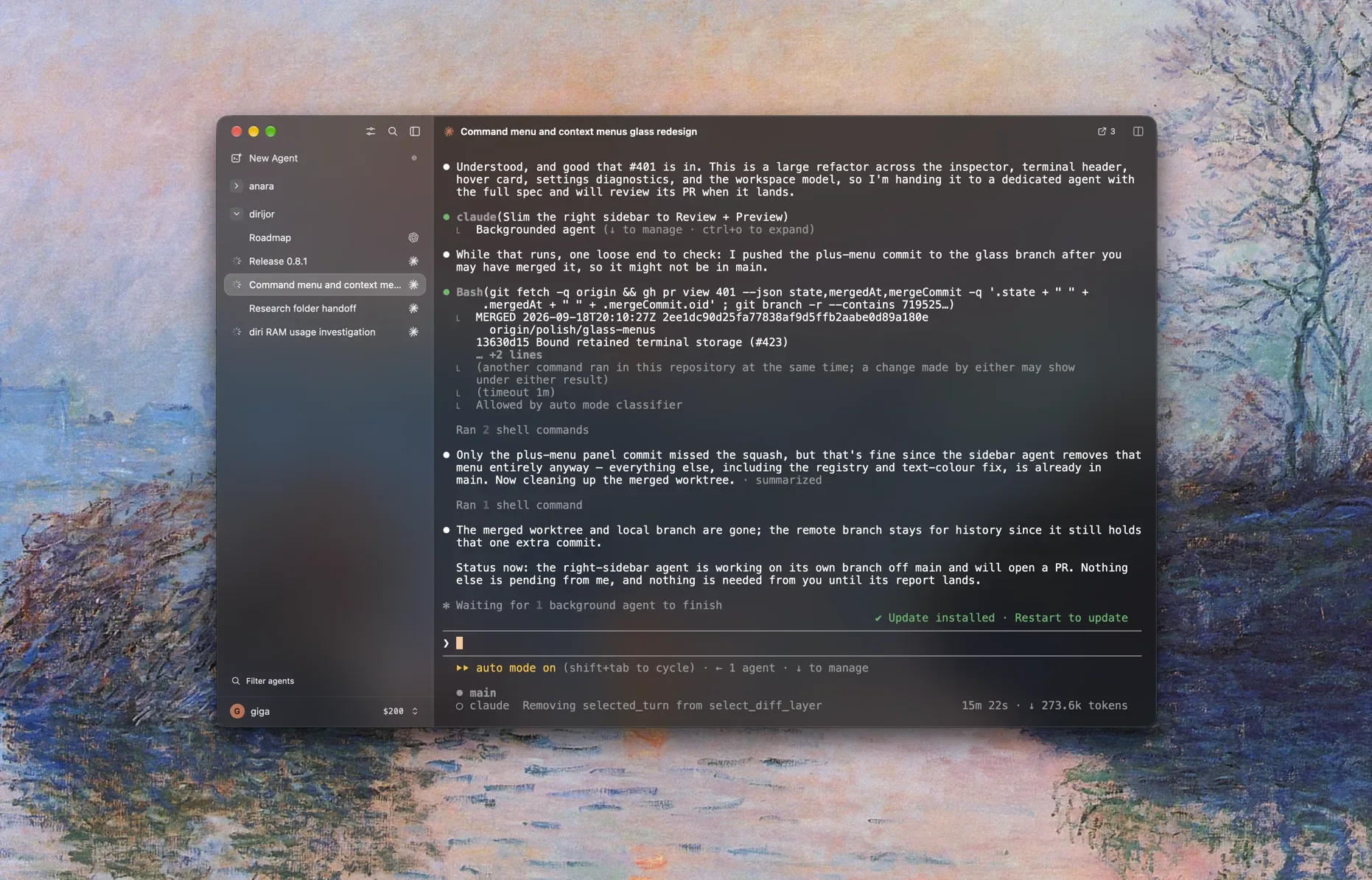
Diri has the best opening line in the field: “Agents are good now. Watching thirty terminals is not.” It’s one developer’s native Rust app that runs 22 agents in terminals, and any other with a short JSON file. Each terminal has a holder process of its own, so sessions survive quitting Diri.
Pros
- Full marks. Triage. ⇧⌘I opens an inbox and ⇧⌘J jumps to the next, and beyond status, an opt-in spoken summary of each finished turn says what the agent did and what it’s asking you.
- Full marks. Sessions. Its chat search lists your Claude Code and Codex conversations, including the ones started outside Diri.
- Full marks. Memory. Notes hold to-dos, and any to-do can start an agent.
- Full marks. Machines and editor. Any number of SSH hosts share one sidebar, and file links open in Cursor, VS Code or Zed.
Cons
- Half marks. Harnesses. Your CLI runs in Diri’s own terminal holder rather than yours.
- Half marks. Mobile. The iPhone companion needs a signed build and has no public release.
- Half marks. Open source. The AGPL is copyleft.
- Half marks. Automation. Schedules can even wake the Mac, but nothing reviews pull requests.
- Half marks. Desktop. Native, with notifications and a Dock badge, but nothing in the menu bar.
- It needs macOS 15 or later, and it has the smallest community on the list.
Score: 7½. Best for a native, attention-first ADE.
8. Synara GitHub
ADE · Electron · Phone: no phone app yet · MIT · Free, remote $9.99 a month
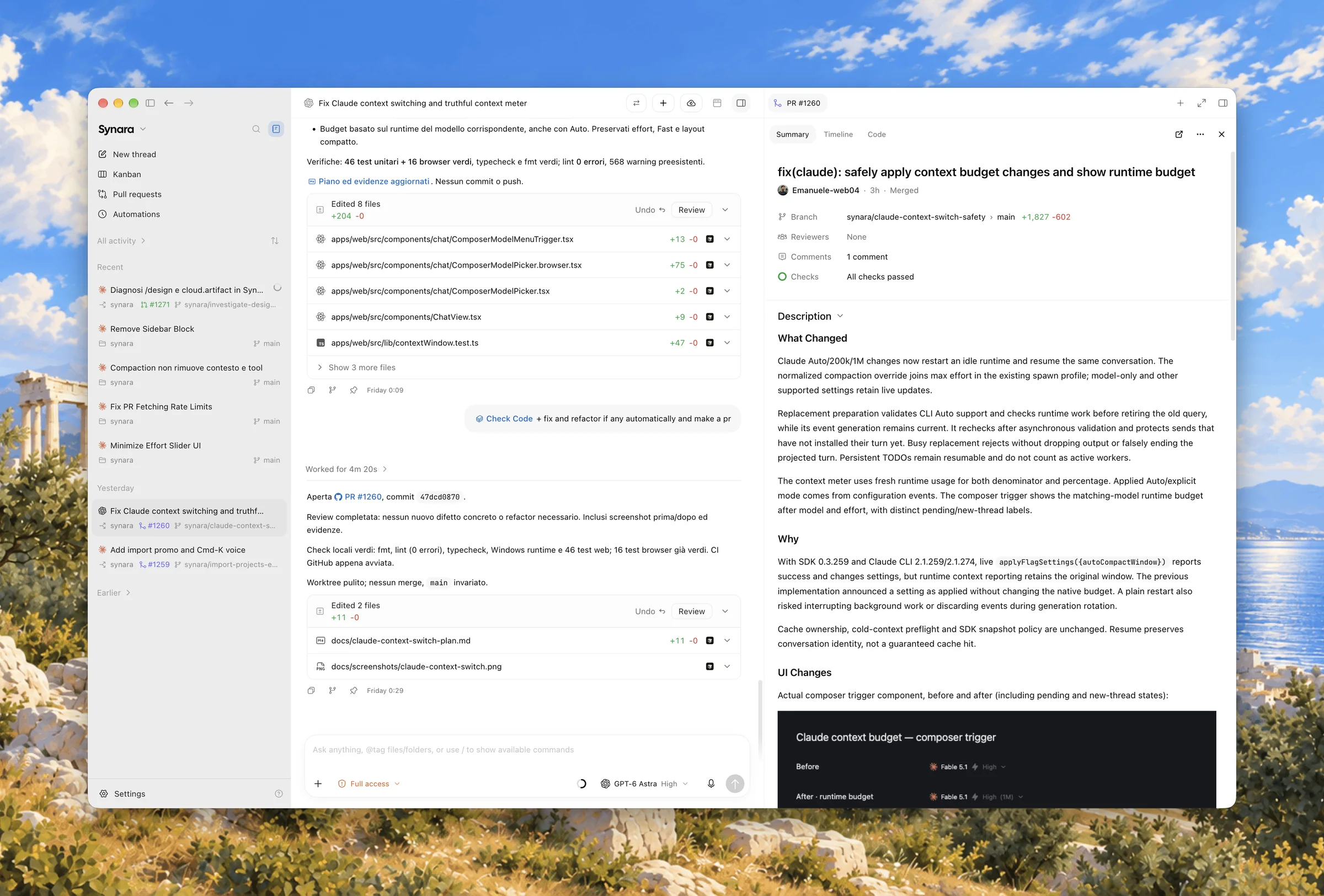
Synara began as a fork of T3 Code in March (after a public dispute, its license now credits T3 Tools)6 and has grown in its own direction: ten agents through their own adapters, and handing a task from one agent to another.
Pros
- Full marks. Triage. ⌥⌘A cycles through the chats waiting on you, and beyond status, a Hub’s coordinator sends each message you write to an existing thread or a new one in the right repo, and writes the Hub’s digest.
- Full marks. Open source. MIT, for now.
- Full marks. Memory. Tasks with priorities and due dates, a Kanban view, pins and notes.
- Full marks. Editor. It opens your editor.
Cons
- Half marks. Harnesses. Claude runs through the Agent SDK and Codex through its app-server, inside Synara.
- Half marks. Sessions. A manual import of your Codex and Claude Code projects.
- Half marks. Mobile. Its iPhone app is still “coming soon”.
- Half marks. Automation. Local schedules, but pull request reviews only by hand.
- Half marks. Machines. Remote Connections let you start and steer chats on your other computers, but only on its paid Alto tier, at $9.99 a month.
- Half marks. Desktop. Electron, with notifications only.
- A pending change would move it to the AGPL.
Score: 7. Best for todos and a board beside your agents, for free.
9. Traycer GitHub
ADE · Electron · Phone: iOS and Android · MIT (clients) · Free, teams $20 a user
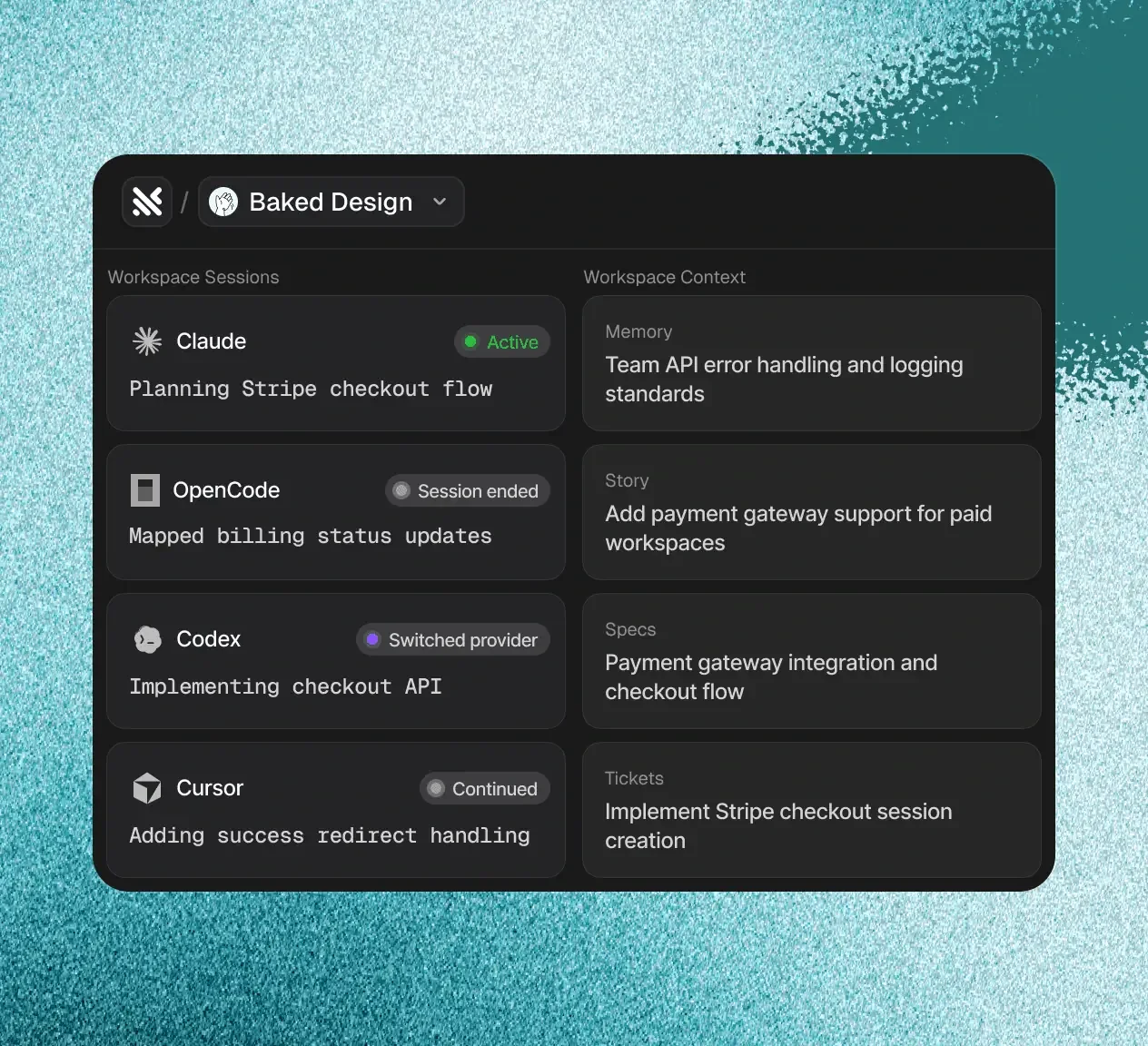
Traycer started in 2025 as a plan-first VS Code extension and is now a desktop “nerve center for agentic coding”. Several agents share a Task, whose specs, tickets and reviews outlast any one conversation.
Pros
- Full marks. Mobile. iOS and Android apps, on every plan.
- Full marks. Memory. Tickets, specs, reviews and canvas boards, with labels and pins: as much as anything here.
- Full marks. Machines, editor and desktop. One window drives hosts on several machines, it opens your editor, and it sits in the system tray.
Cons
- Half marks. Triage. A notification center collects everything that needs attention across every task and machine, by status. Its routing is capacity planning: a rate-limited chat moves to an account with room.
- Half marks. Harnesses. Sessions live in Traycer, though you can pin a version or point it at your own CLI.
- Half marks. Sessions. You import them by hand, with search.
- Half marks. Open source. The Host that actually runs your agents is closed; the MIT license covers the clients.
- No marks. Automation. No scheduler and no pull request review, only a crontab recipe in the docs.
Score: 7. Best for planning-heavy work shared across a team.
10. bb GitHub
ADE · Electron · Phone: iOS and Android (beta) · MIT · Free
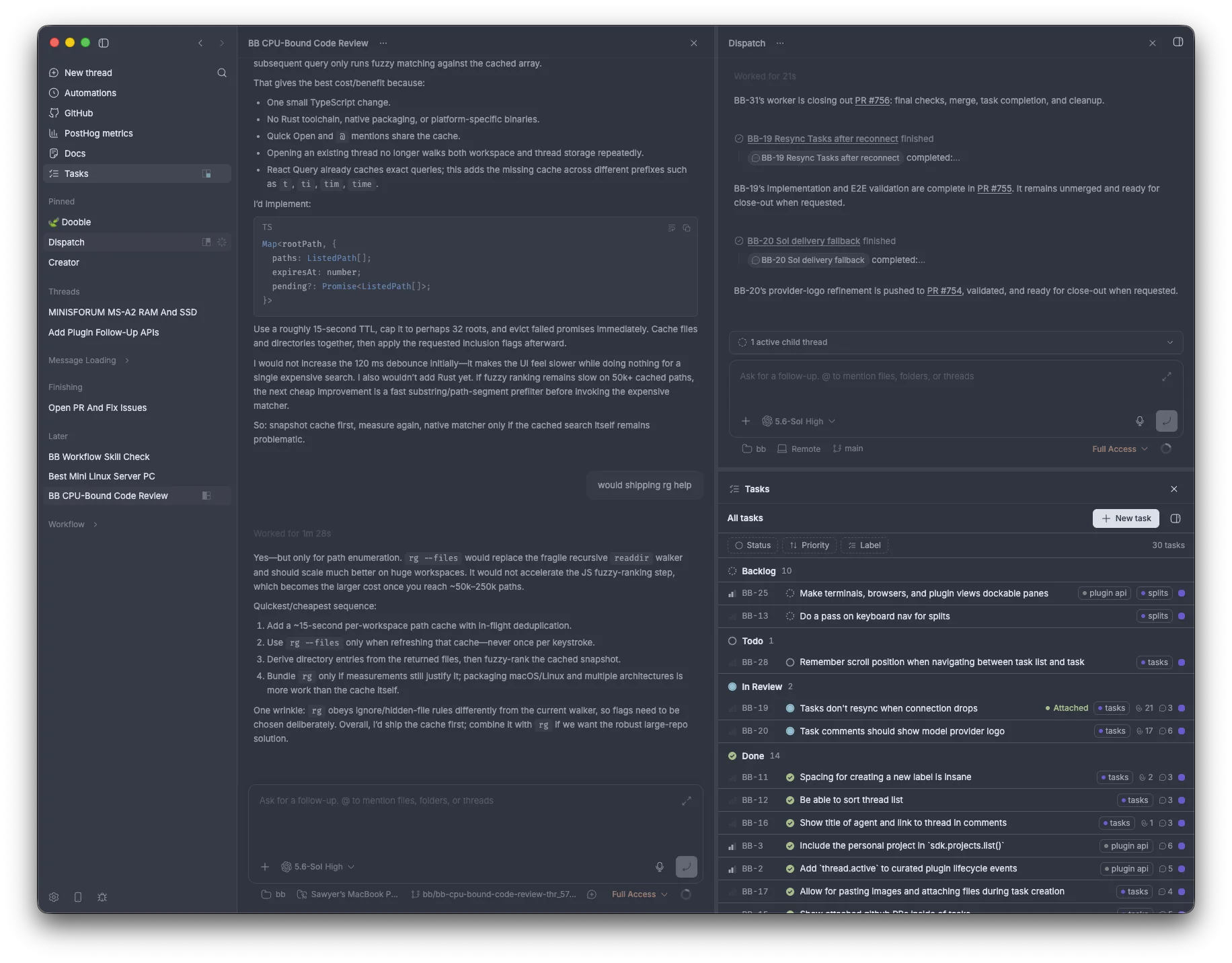
bb calls itself “an agentic IDE that builds itself”. Nearly every feature is a plugin, and a server keeps all state in SQLite, with a host on each of your machines, so the desktop app, a web app, a CLI and an HTTP API can all drive it.
Pros
- Full marks. Mobile. iPhone and Android betas read and steer your agents.
- Full marks. Open source. MIT, and its agents can write and install plugins from inside a thread, which comes close to the ★ but stops short of bb’s own source.
- Full marks. Memory. A bundled Tasks plugin, with lists and boards.
- Full marks. Machines and editor. One server dispatches work across several machines, and it opens any editor you name.
Cons
- Half marks. Triage. Status marks, an unread-first grouping and a notification center. Its Account Pooler picks an account by how much each has used, which is capacity planning rather than judgment.
- Half marks. Harnesses. The Agent SDK and app-server, with a setting for the binary.
- Half marks. Automation. Schedules, but pull request reviews only by hand.
- Half marks. Desktop. Electron, with notifications and no menu bar.
- No marks. Sessions. It sees only the threads it started.
- Telemetry is on by default, its API has no authentication if you expose the server to a network, and some doubt it’s an IDE at all.7
Score: 7. Best for hacking on your tools.
11. MonoCode GitHub
ADE · Tauri · Phone: iPhone (beta) · MIT · Free
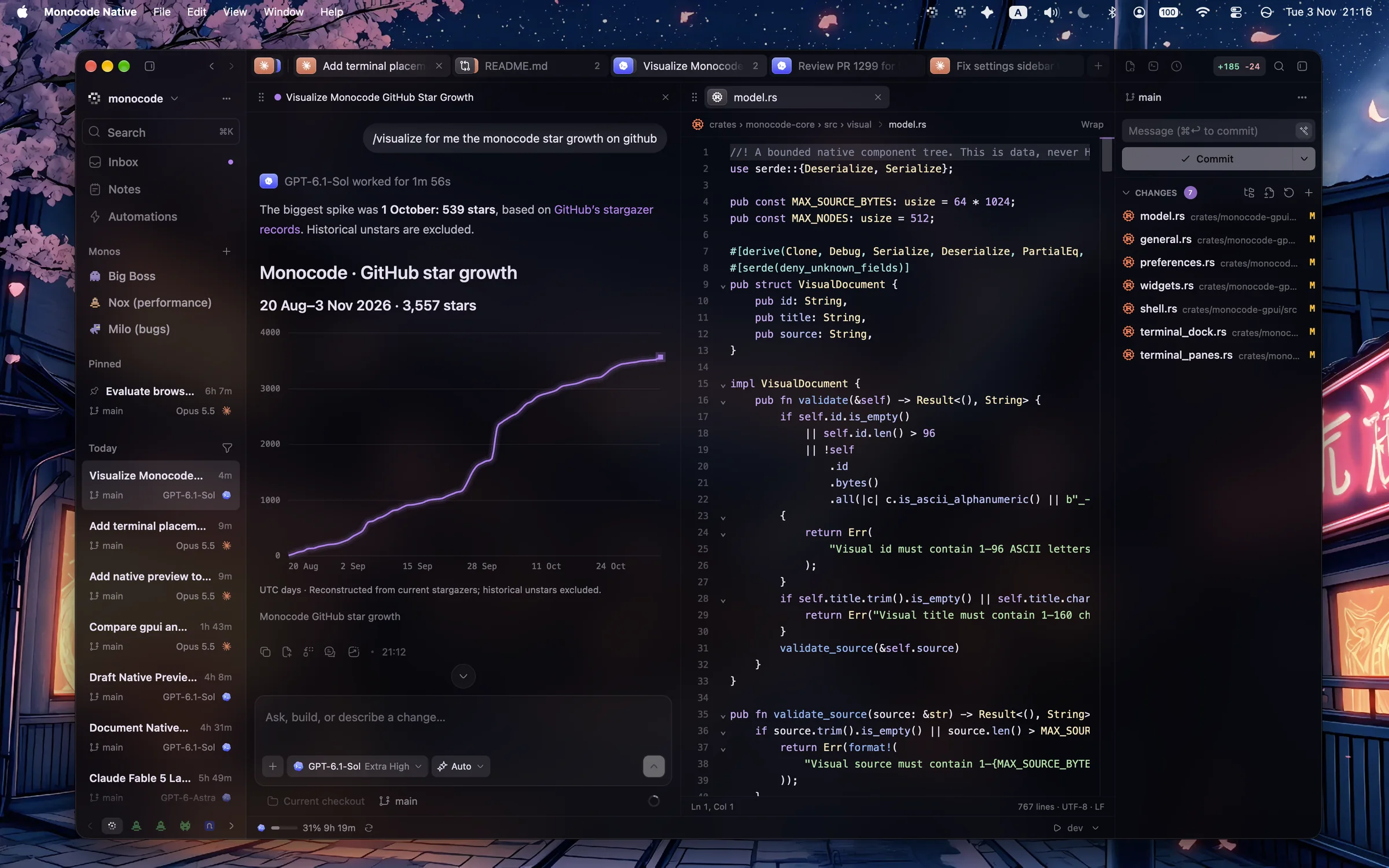
MonoCode is a solo developer’s Tauri app (“tabs are sessions, the composer is the input”) with the most eclectic agent list here, from Claude Code and Codex to Hermes Agent and Devin. A native Rust rewrite is in preview.
Pros
- Full marks. Open source. MIT.
- Full marks. Automation. Automations run on a schedule or on events, and a built-in template reviews each pull request when it’s opened, all on your own CLIs.
- Full marks. Machines. “Add machine” puts any SSH host in the same rail.
- Full marks. Editor and desktop. It opens your editor, and a menu-bar extra holds floating chats.
Cons
- Half marks. Triage. Notifications and unread marks, but no queue and no model. Its orchestrator, a lead model choosing each worker’s harness, is orchestration rather than triage.
- Half marks. Harnesses. A setting for each binary, but every session inside the app.
- Half marks. Mobile. An iPhone TestFlight whose approvals still need the desktop.
- Half marks. Memory. A notes notebook with tags, but no todos.
- No marks. Sessions. The requests to import them are still open.
- It’s in the middle of its rewrite, with hundreds of open issues.8
Score: 7. Best for automated reviews in an ADE that costs nothing.
12. Emdash GitHub
ADE · Electron · Phone: no phone app · Apache-2.0 · Free
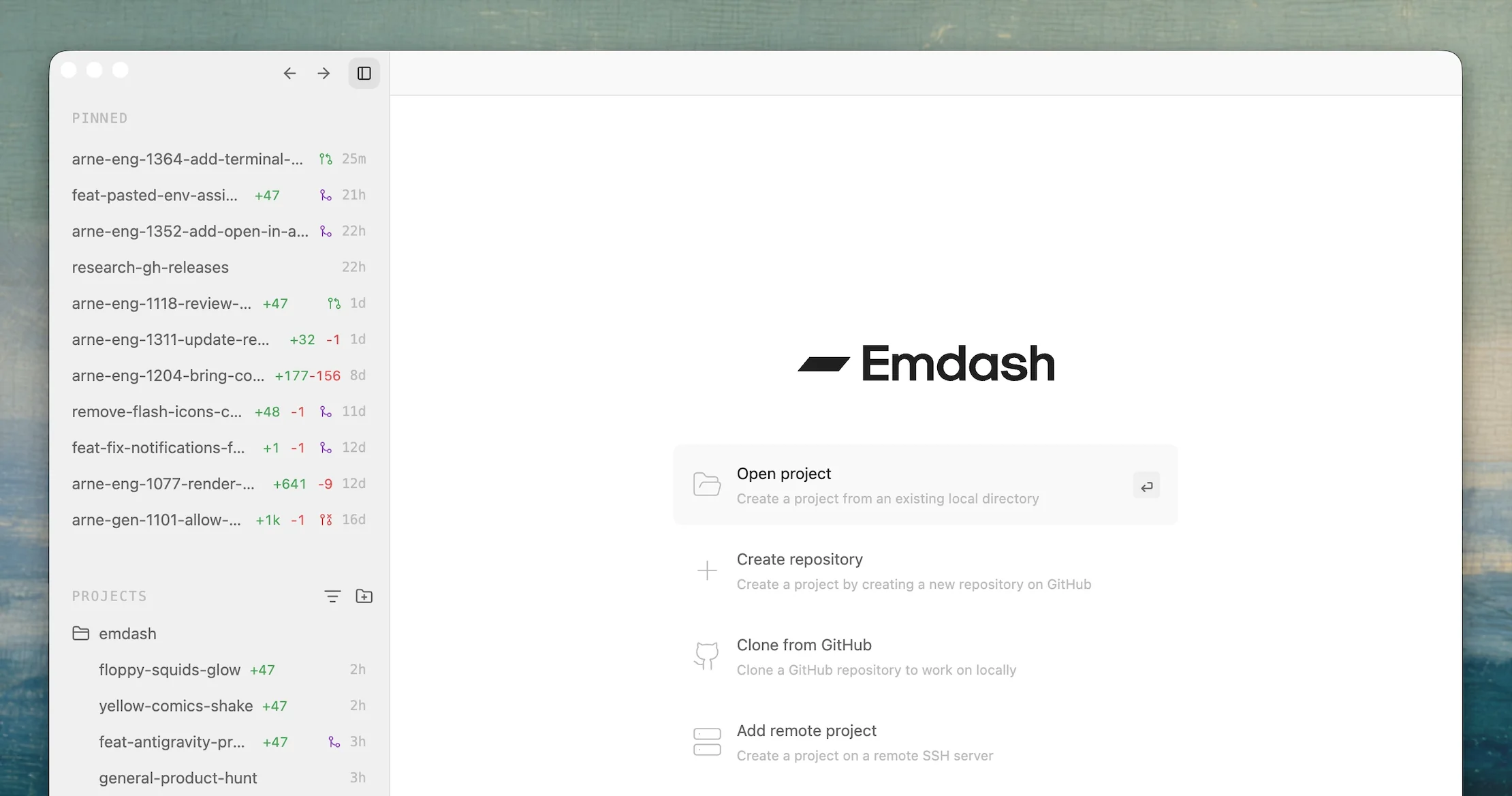
Emdash (YC W26) was the open-source ADE of early 2026: about twenty agent CLIs in parallel, in worktrees made ahead of time, with more issue trackers than anyone.
Pros
- Full marks. Harnesses. The one ADE that gets this right: it runs each agent’s real CLI, you choose each one’s executable, and with tmux on you can attach to a session from your own terminal.
- Full marks. Open source. Apache-2.0.
- Full marks. Machines, editor and desktop. SSH machines, an Open In menu for every editor, and a menu-bar icon.
Cons
- Half marks. Triage. A status for each task, but no queue.
- Half marks. Memory. Pins, and issues from your trackers.
- Half marks. Automation. Cron, but no pull request reviews.
- No marks. Sessions and mobile. Neither.
- It’s frozen: the desktop app, now Emdash Classic, gets fixes only, while Emdash 2.0, a team product, sits behind a waitlist.
Score: 6½. Best for the real CLIs in an ADE, if you don’t need it to grow.
13. Herdr GitHub
ADE · Rust (GPUI) · Phone: iOS and Android · Apache-2.0 · Free
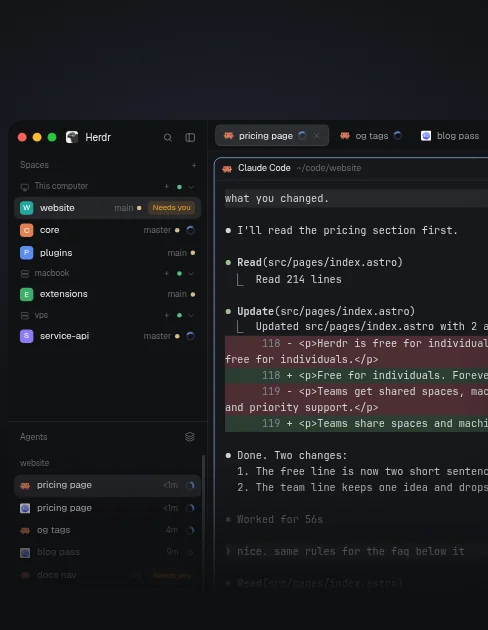
Herdr started as a terminal multiplexer for agents with 51,000 stars, and at the end of October it became a native app, with libghostty terminals, for macOS, Linux and Windows. Your agents run in herdr-core, a background runtime, so they keep going when you close the window. Its maker, Can Celik, joined Y Combinator and raised a $6M seed in September.9
Pros
- Full marks. Harnesses. Your own CLIs in real terminals, with no SDK or ACP in between; a settings file says which command each agent runs, and you can attach to any of them from your own terminal.
- Full marks. Mobile. Free iOS and Android apps, since November 6.
- Full marks. Open source. Apache-2.0, all but the phone apps. Its whole interface is JavaScript mods that your own agent is invited to rewrite, which comes close to a ★.
- Full marks. Machines. One sidebar spans every machine you can reach over SSH.
Cons
- Half marks. Triage. Its Priority view lists every agent under Needs you, Done, Working and Idle, and Alt+↓ steps through them, but by status alone: nothing reads what an agent asks or picks where new work goes.
- Half marks. Memory. Pins and named spaces.
- Half marks. Editor. File paths open in your OS’s default app.
- Half marks. Desktop. Native, but its alerts stay inside its window: no system notifications, no menu bar.
- No marks. Sessions and automation. It doesn’t even see the Herdr TUI’s agents, and it has no schedules or reviews.
- Telemetry is on by default.
Score: 6. Best for real terminals across many machines, in a native app.
14. Capy
ADE · its cloud · Phone: web · Closed · From $20 a month
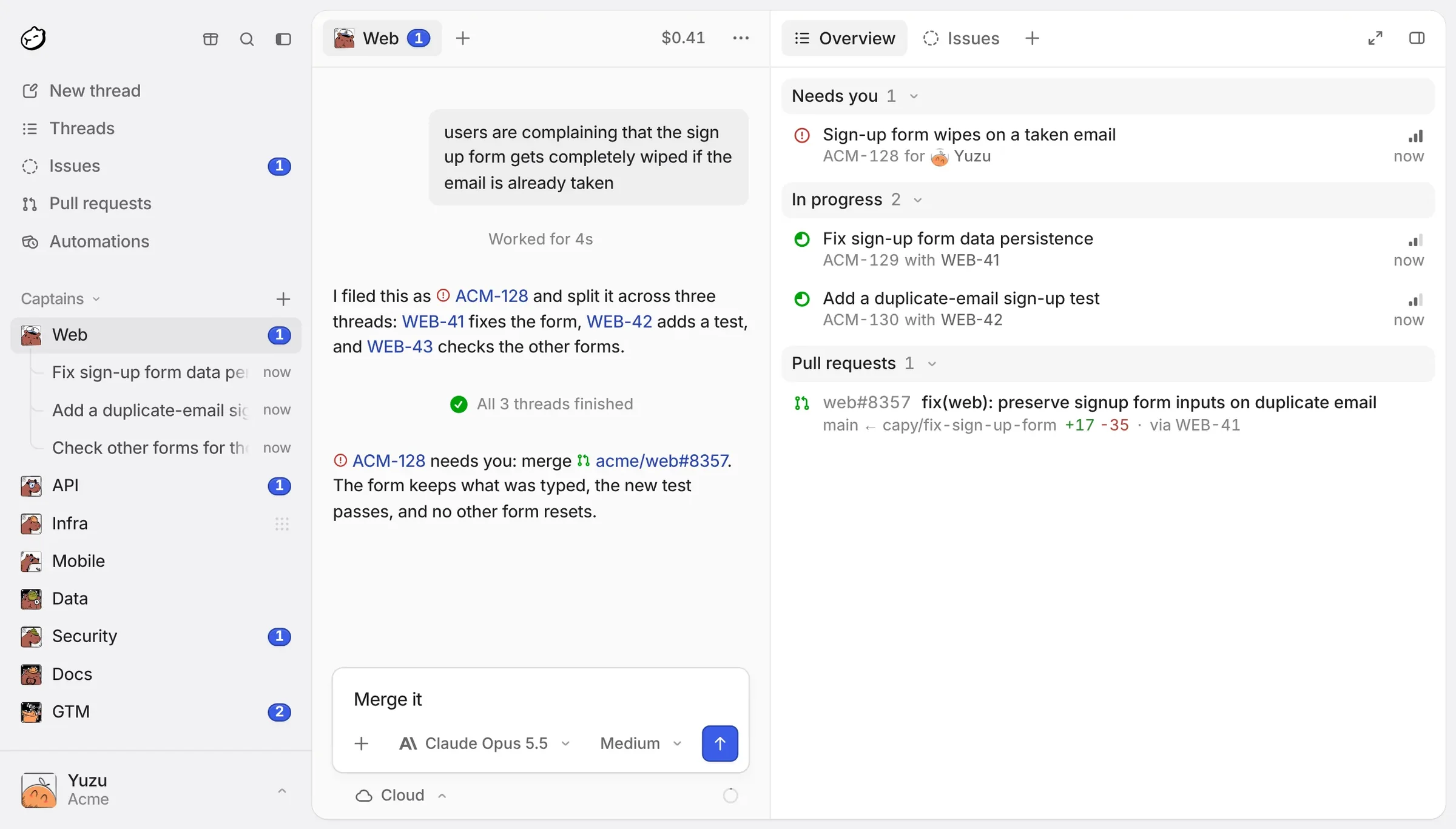
Capy is the odd one out. It isn’t a wrapper around your agents but a YC company’s own agent, running in its cloud. “Captain” agents plan and hand work to “Build” agents, each in its own sandbox, and the desktop app runs the tools on your machine while the agent loop and your threads stay in Capy’s database.
Cons
- Half marks. Triage, mobile, memory, machines and editor. All real, and all behind a paid plan, since Capy has no free tier: a Captain writes a “Needs you” digest and sends each prompt you give it to the thread that should take it, there’s a phone web app with push notifications, a built-in issue tracker, a “Run on” that starts a thread in the cloud or on another of your machines, and an editor picker.
- Half marks. Sessions. It imports your Claude Code and Codex history once, when you set it up.
- Half marks. Automation. Automations and an automatic review agent both exist, but they run in Capy’s cloud on its credits, which “don’t use the subscriptions and keys you connect”.
- Half marks. Desktop. No menu-bar presence on a Mac.
- No marks. Harnesses and open source. It runs its own agent, and it’s closed.
Score: 4. Best for teams happy to buy a cloud product.
15. Conductor
ADE · Tauri · Phone: iPhone · Closed · Free, cloud on paid plans
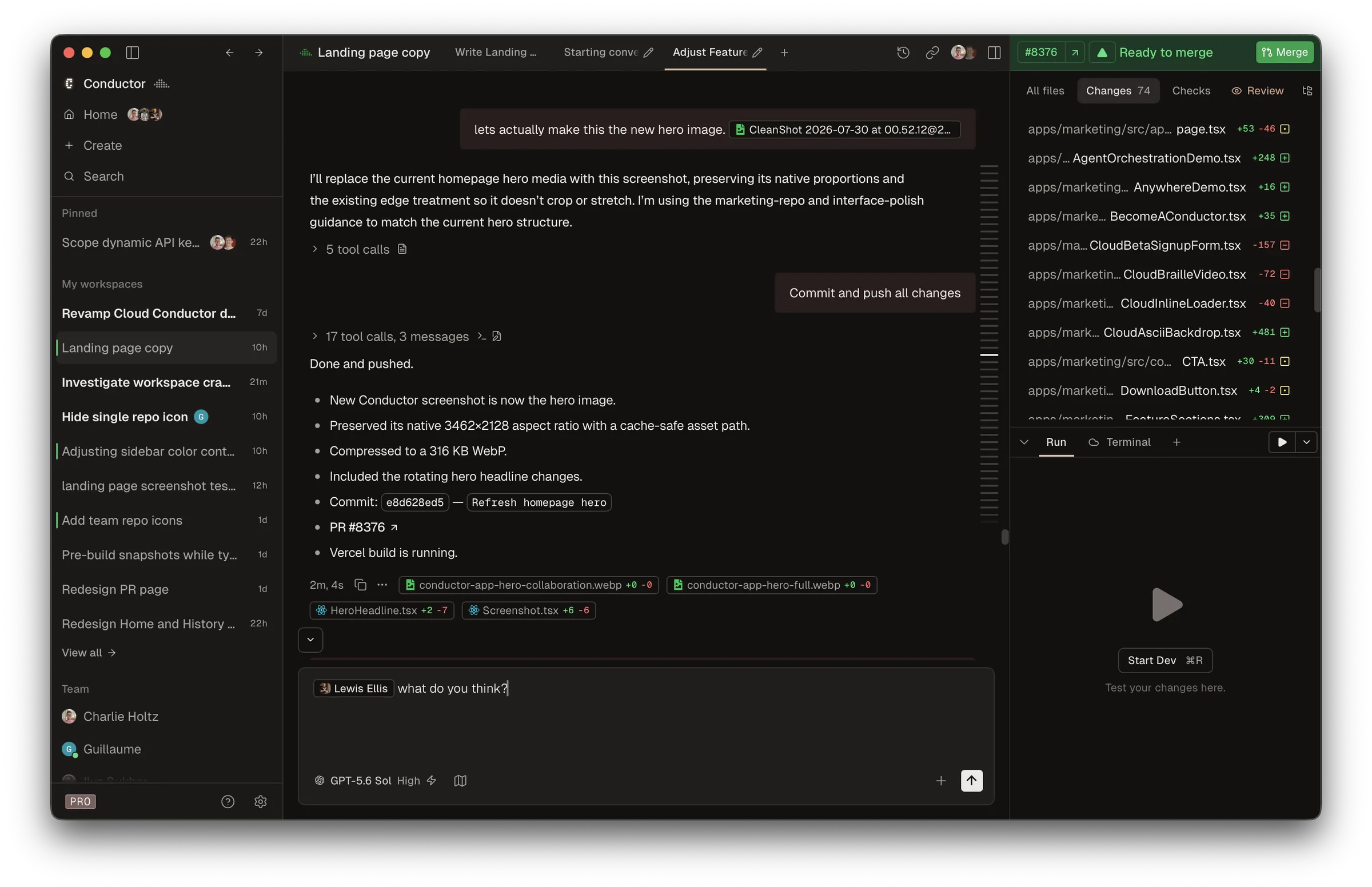
Conductor set the pattern the others position themselves against: a Mac app that runs Claude Code and Codex in parallel, each in its own workspace, then reviews and merges their work. Melty (YC S24) raised a $22M Series A in March and claimed 100,000 users. On November 4, Meta (Facebook) bought it10 and announced a wind-down. Nine days later its changelog said “Conductor isn’t shutting down. It’s back, and we’re building again.” It’s now “Conductor from Meta”, and how long a Meta-owned Conductor stays supported, and for whom, is anyone’s guess.
Pros
- Full marks. Mobile. Its iPhone app works with remote control.
- Full marks. Memory. Todos that block a merge, a notes tab and status sections.
- Full marks. Editor. An Open In menu for every common editor.
Cons
- Half marks. Triage. “Next workspace” jumps between the chats that need you, but by status alone; its model-written summaries stay inside each chat.
- Half marks. Harnesses. Bundled or configured binaries, but only inside its own chat.
- Half marks. Automation. Its Routines run in Conductor’s cloud, for paid plans only.
- Half marks. Machines. Its cloud VMs sit beside local workspaces, but one Mac can’t see another.
- Half marks. Desktop. Notifications only.
- No marks. Sessions and open source. No imports, and it’s closed, now under Meta.
Score: 5½. Best for people who already use it, and trust Meta to keep it going.
16. super.engineering
ADE · Rust (GPUI) · Phone: iPhone (beta) · Closed · Free (alpha)
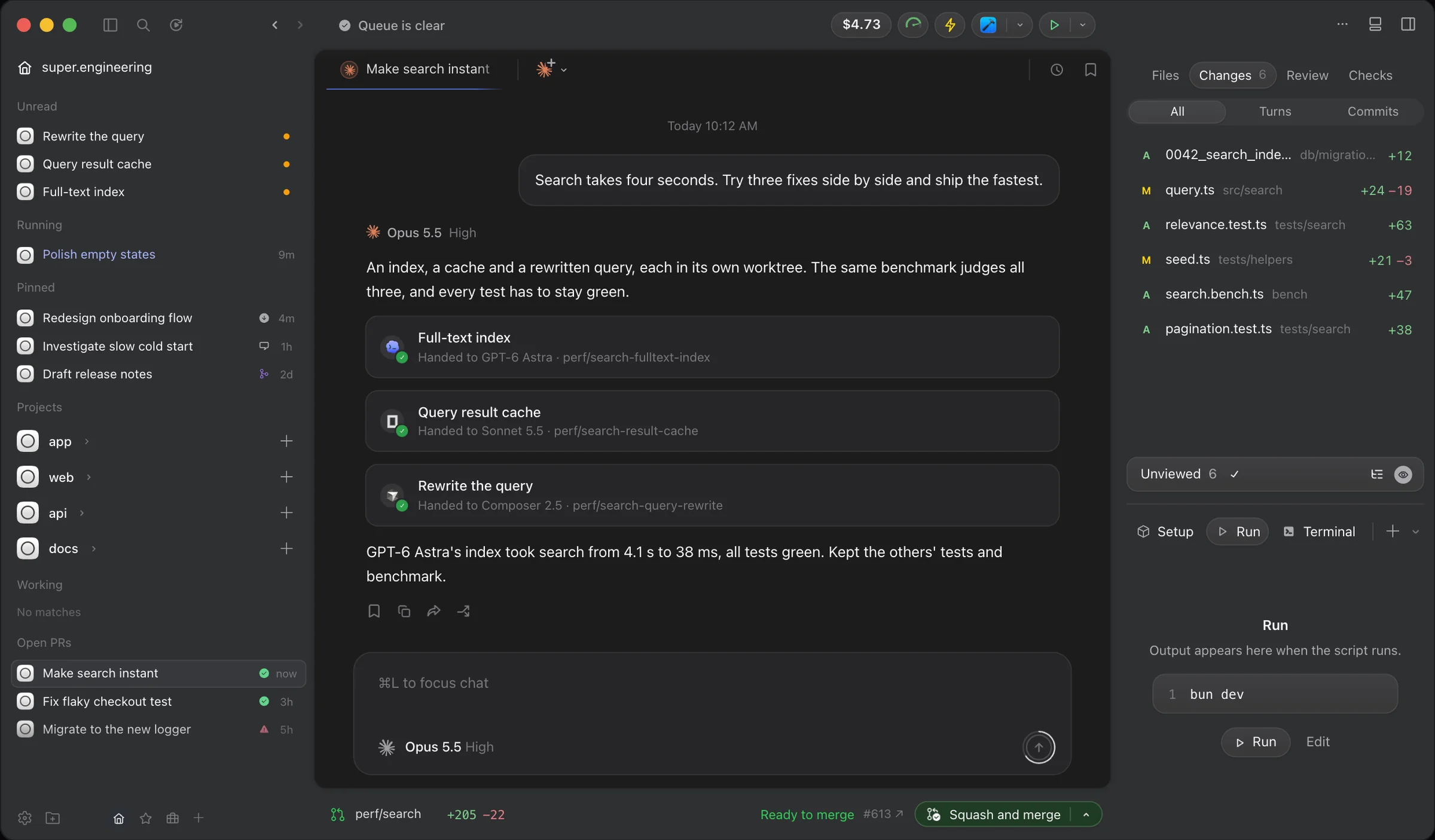
super.engineering (“Don’t run an agent. Command a fleet.”) is a native Rust app for macOS and Linux, launched in April as Superconductor, that gives every task a worktree and runs 18 agents as plain subprocesses on your own accounts. It has the best review flow in the native camp: comments anchored to lines of the diff, and one button from commit to pull request to merge.
Pros
- Full marks. Mobile. Its iPhone app, on public TestFlight, answers approvals and questions.
- Full marks. Machines and editor. SSH workspaces sit beside local ones, and its Open In list takes any app you add.
Cons
- Half marks. Triage. ⌘I opens a real inbox across workspaces, and ↩ sends your reply and moves to the next, but by status alone. Its orchestration, which you have to ask for, is a different thing.
- Half marks. Harnesses. Your CLI in its terminal tab or its chat.
- Half marks. Memory. Labels, pins and colors, but no todos.
- Half marks. Automation. An early preview, with reviews on demand.
- Half marks. Desktop. Native and quick, with one reviewer measuring startup at about 50 milliseconds,11 but nothing in the menu bar.
- No marks. Open source. It’s closed, with terms that anticipate paid licensing.
- Couldn’t tell. Sessions. I couldn’t tell whether it lists sessions started outside it.
Score: 5½. Best for speed, if you can live with closed source.
17. Zeron GitHub
ADE · Rust · Phone: iOS and Android · MIT · Free
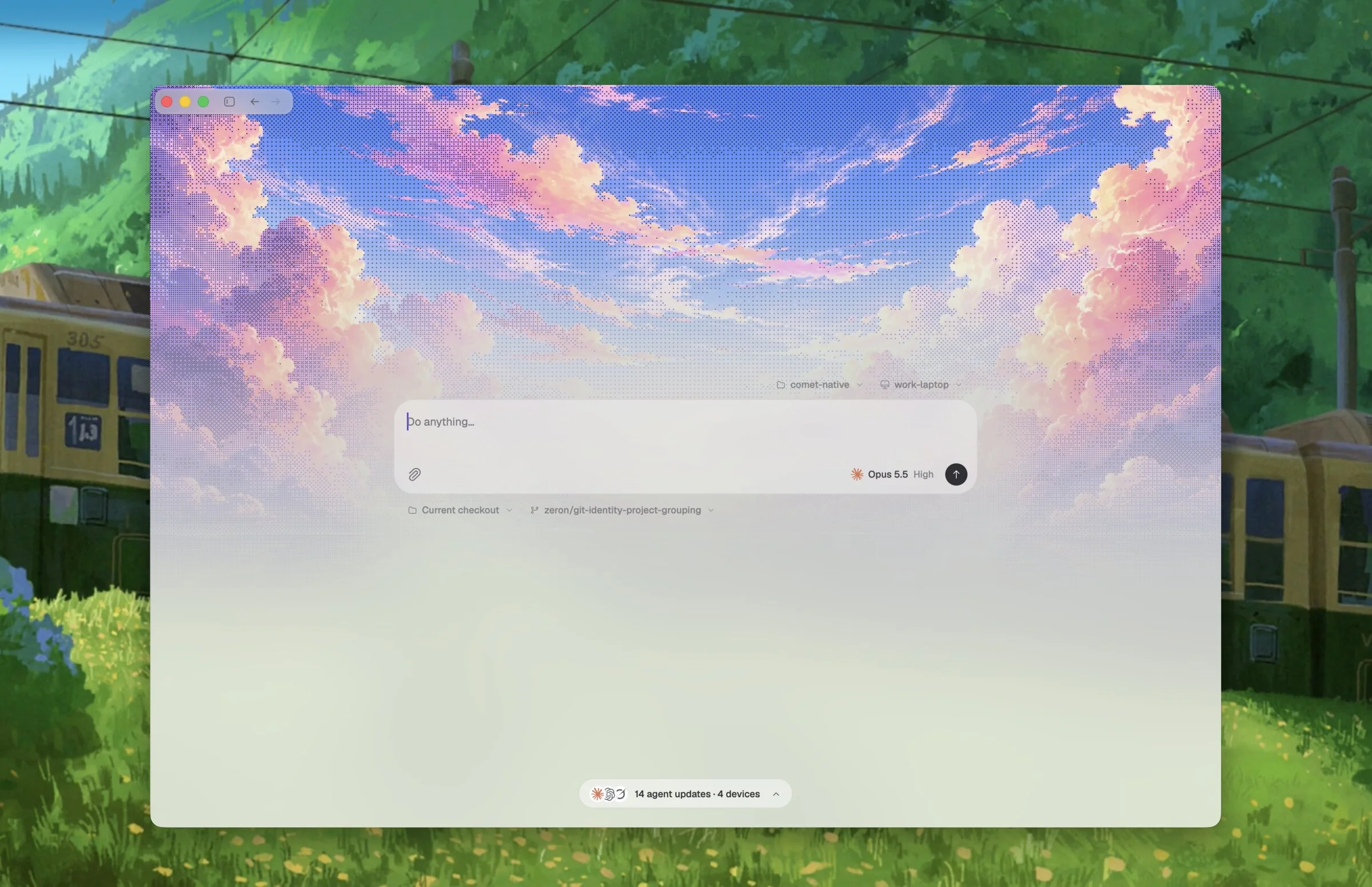
Zeron is “a native control plane” for Claude Code, Codex, Cursor, Devin and others, mostly the work of one developer who goes by Wing. Since version 0.3 it draws its window with its own Rust UI framework, and a Rust engine owns the agents, so closing the window leaves every session running.
Pros
- Full marks. Mobile. iOS and Android apps watch sessions, send messages and approve diffs.
- Full marks. Open source. MIT.
- Full marks. Machines. Devices signed in to one account share one sidebar, where you can start a chat on another machine.
Cons
- Half marks. Triage. It opens on Activity, a list of the chats that need you, latest first, but by status alone on the desktop; only its phone apps’ voice assistant picks an agent and project for you.
- Half marks. Harnesses. Your CLI over stream-json or app-server, inside Zeron.
- Half marks. Memory. Pins and named sections.
- Half marks. Editor. “Open in editor” uses your OS’s default app.
- Half marks. Desktop. Banners, but no menu bar.
- No marks. Sessions and automation. Two attempts to import sessions were closed unmerged, and there are no schedules or reviews.
Score: 5½. Best for a native app that follows you across devices.
The Landlords
Every ADE above rents its agents from two landlords, and both landlords now build apartments, along with a few others. Apart from Warp, a terminal that runs anything, each runs one vendor’s agent and is closed source, and every one of them sells automatic pull request review as a cloud service.
18. Warp
Vendor app · Rust · Phone: web · AGPL-3.0 · Free, paid plans
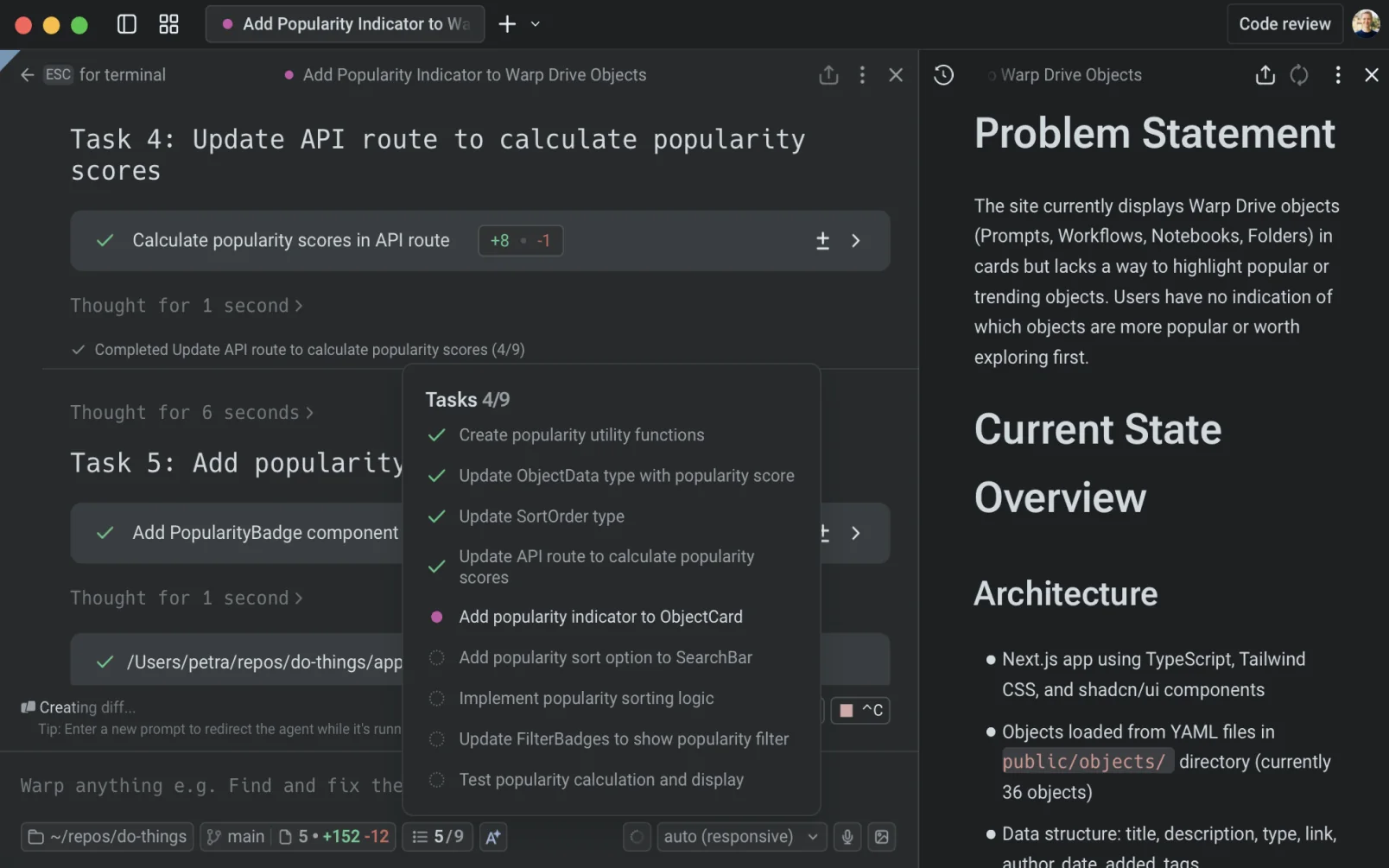
Warp named this category: Warp 2.0 launched in June 2025 as “the first Agentic Development Environment”, a terminal with agents built in.
Pros
- Full marks. Harnesses. Being a terminal, it runs Claude Code, Codex or anything else as they come.
- Full marks. Mobile and editor. Its Remote Control works from a phone’s browser, and it opens your editor.
Cons
- Half marks. Triage. Its notification mailbox collects every agent’s alerts to work through, but by status; its orchestration proposes child agents for you to approve.
- Half marks. Open source. Its client is now open source, under the AGPL.
- Half marks. Memory. Task lists, tab colors and groups.
- Half marks. Automation. Scheduled agents and pull request reviews exist, but in Warp’s cloud, as paid usage.
- Half marks. Machines. One machine at a time.
- Half marks. Desktop. Notifications and a drop-down window, but no menu bar.
- No marks. Sessions. Claude Code sessions don’t appear in its panels.
Score: 6. Best for a terminal that knows about agents.
19. Claude desktop
Vendor app · Electron · Phone: iOS and Android · Closed · Your Claude plan
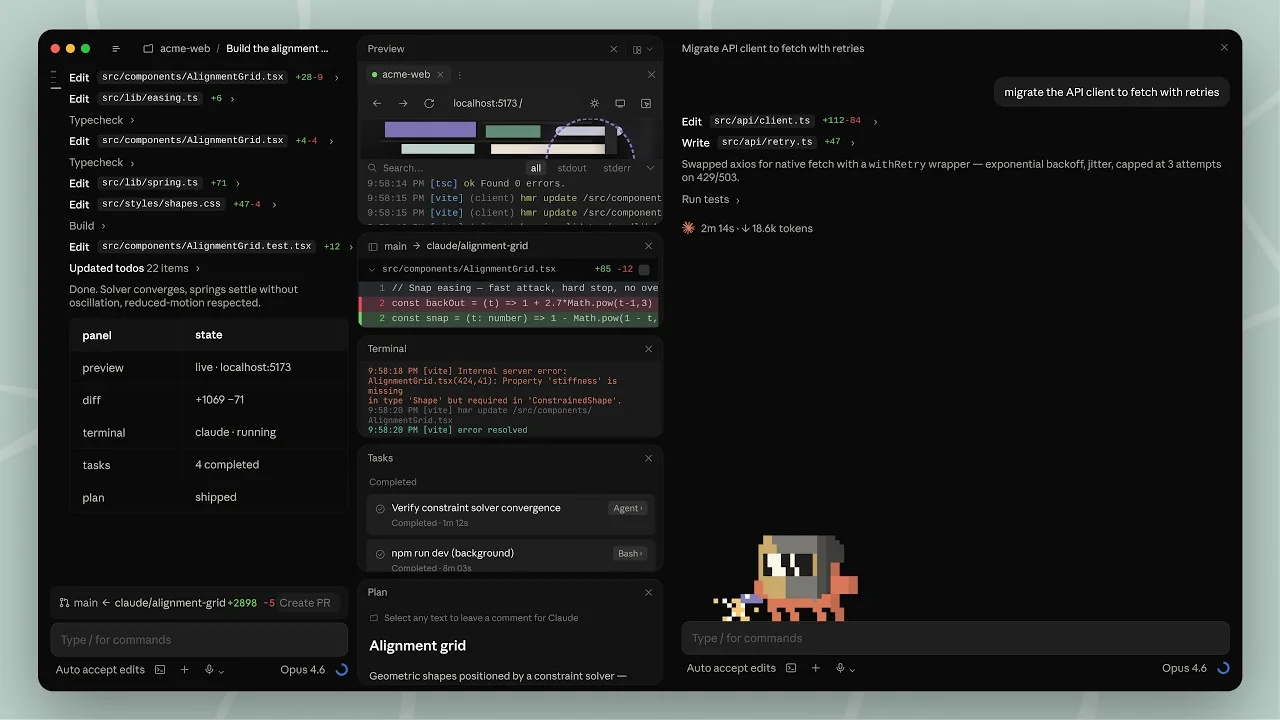
The Code tab in Anthropic’s desktop app runs a bundled copy of Claude Code, and it gets Claude’s features before anyone else does.
Pros
- Full marks. Triage. A needs-input marker on each session, and beyond status, a Projects coordinator sends each new message to a new thread or to the one already on that work, and it suggests your next prompt.
- Full marks. Mobile. The Claude apps on iOS and Android reach your local sessions through Remote Control.
- Full marks. Machines. One sidebar holds local, SSH and cloud sessions.
- Full marks. Editor and desktop. It opens VS Code, Cursor or Zed, and it has a menu-bar item.
Cons
- Half marks. Sessions. Your CLI sessions come in by hand, through
/resumeor an import. - Half marks. Memory. Pins, sections and renaming.
- Half marks. Automation. Local schedules, but its automatic pull request review is Code Review, billed separately on Team and Enterprise plans, or a GitHub Action, both in the cloud.
- No marks. Harnesses and open source. It runs Claude and nothing else, and it’s closed.
Score: 6½. Best for Claude, and only Claude.
20. Codex app
Vendor app · Electron · Phone: iOS and Android (paid plans) · Closed · Your ChatGPT plan
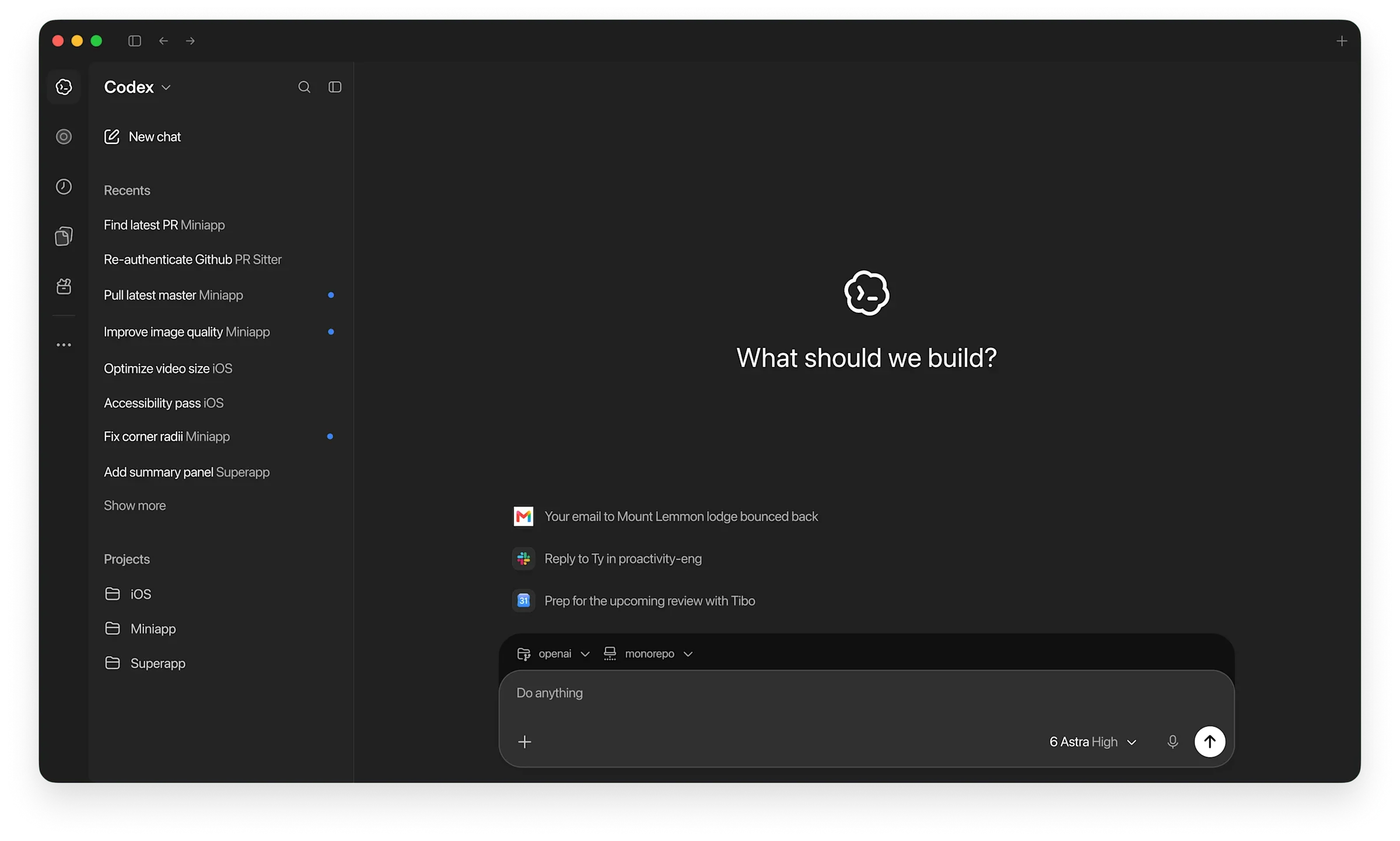
OpenAI’s Codex app has lived inside the ChatGPT desktop app since July.
Pros
- Full marks. Machines. It hands chats between your computers.
- Full marks. Editor and desktop. It opens your editor, and it sits in the menu bar.
Cons
- Half marks. Triage. Its Activity view and ⌘⌥A take you to the next chat needing attention. Beyond status, its always-on assistant continues the existing Codex task your request belongs to, but only on ChatGPT Pro, at $100 a month and up.
- Half marks. Sessions. Your CLI sessions appear once their folder is a project.
- Half marks. Mobile. The ChatGPT apps reach your desktop’s chats, on paid plans.
- Half marks. Memory. Pins and sections.
- Half marks. Automation. Local schedules, but pull request reviews only in OpenAI’s cloud.
- No marks. Harnesses and open source. It runs Codex, and the app is closed, though the Codex CLI is Apache-2.0.
Score: 5½. Best for Codex, and only Codex.
21. Cursor
Vendor app · VS Code fork · Phone: iPhone and web (paid plans) · Closed · Your Cursor plan
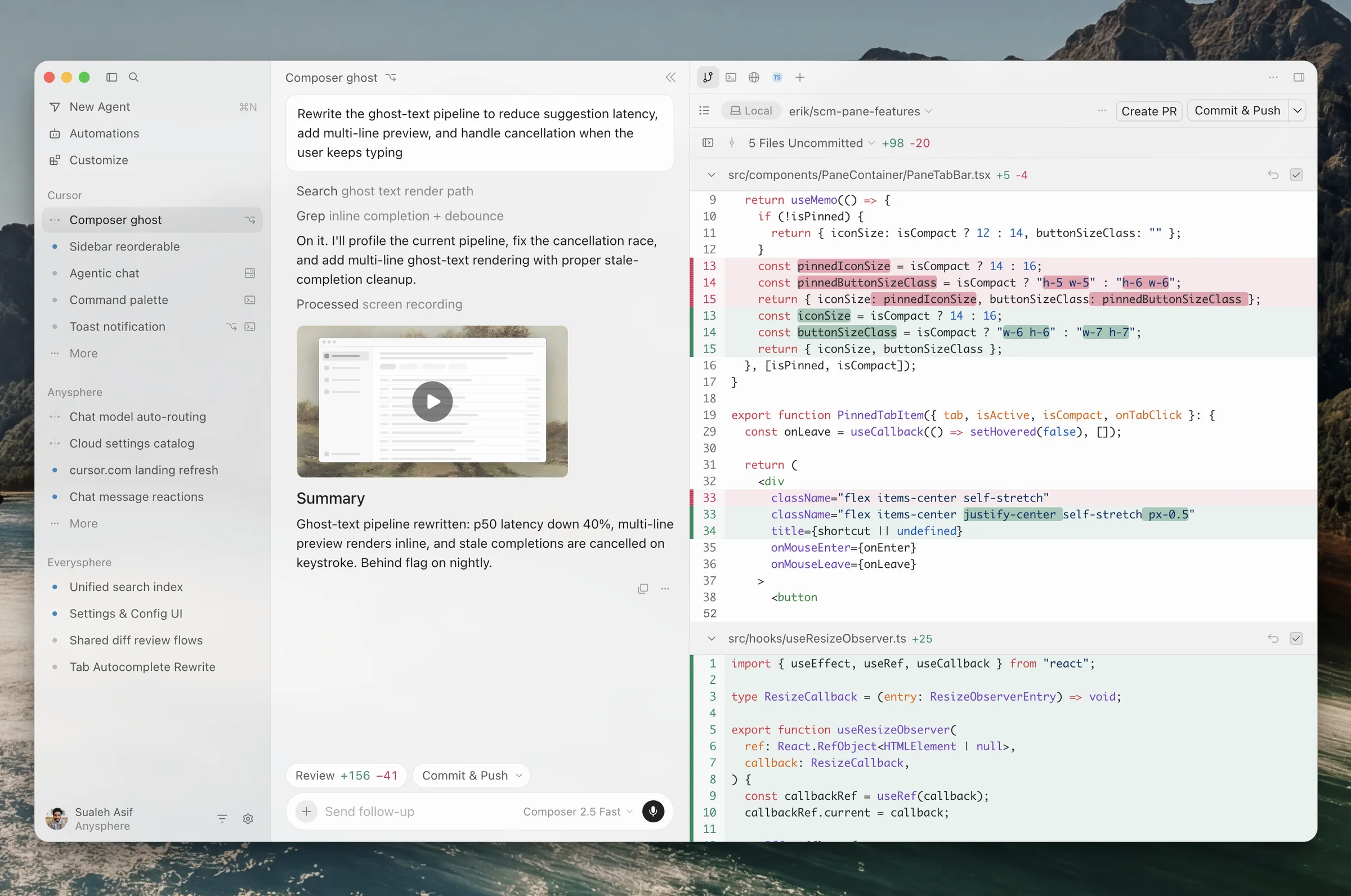
Cursor is the editor most people first met agents in, and its agents window is now a front door of its own.
Pros
- Full marks. Machines. My Machines lets you start agents on any of your computers.
- Full marks. Desktop. A menu-bar icon counts what’s unread.
Cons
- Half marks. Triage. A Needs Attention section across every workspace, by status. Its Projects coordinator hands tasks to agents, which is orchestration rather than triage.
- Half marks. Sessions. An opt-in, read-only import of Claude Code chats.
- Half marks. Mobile. An iPhone app and the web, on paid plans.
- Half marks. Memory. Projects have a task board, but only on its Premium plan and up.
- Half marks. Automation. Automations and Bugbot, both in Cursor’s cloud and billed.
- No marks. Harnesses, open source and editor. It runs only its own agent, it’s closed, and it is the editor.
Score: 4½. Best for people who already live in Cursor.
22. Google Antigravity
Vendor app · Electron · Phone: web · Closed · Free, paid plans
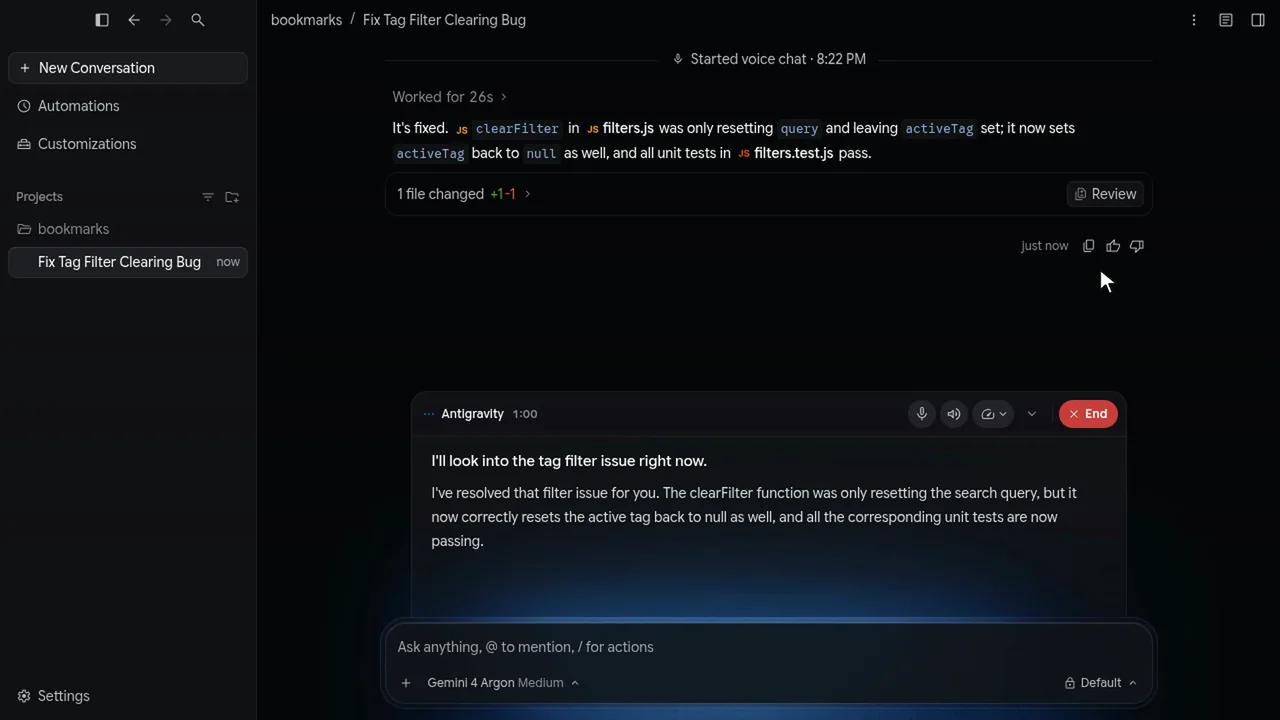
Antigravity is Google’s agent-first IDE, with an Agent Manager that sends agents off in parallel.
Cons
- Half marks. Mobile and machines. Its Remote Control works from a phone’s browser, across all your machines, but it needs a plan that supports it, and it rolled out to Ultra subscribers first.
- Half marks. Triage. Status icons and filters, but no queue. Its /swarm coordinator splits a task among workers, which is orchestration, not triage.
- Half marks. Sessions. Its CLI can pull in the app’s conversations, by hand.
- Half marks. Memory. Pins and groups.
- Half marks. Automation. Local schedules, but no pull request review of its own.
- Half marks. Editor. It opens Antigravity’s own IDE, or Finder.
- Half marks. Desktop. A tray icon on Windows and Linux only.
- No marks. Harnesses and open source. Claude appears only as a model inside Google’s agent, and it’s closed.
Score: 4. Best for Google’s agent, with Google’s models.
Gone, Going or Out of Scope
- Vibe Kanban: a Kanban board over your agents, a worktree per card. A competitor’s blog reports its makers wound it down in April;12 it may live on as a community project.
- Sculptor: Imbue’s app for running Claude Code agents in parallel containers. The last release I could find is from January.
- Claude Squad: a terminal app that runs several agents in tmux sessions and worktrees, and one of the first of its kind.
The Islands
Every island works the same way underneath. It installs a hook into each agent (for Claude Code, a script its hooks call when it wants permission, wants input or finishes a turn), the hook tells the app over a local socket, and the app draws it in the notch. Because they watch the CLIs you already installed and live in the notch, nearly all of them get full marks for native harnesses and the desktop. Their triage is a status queue, with no model reading what each session asks, so they get half for it. None has search, schedules or pull request reviews, and only a few reach your phone.
23. Coucou GitHub
Island · Swift · Phone: iOS and Android · MIT (code) · Free
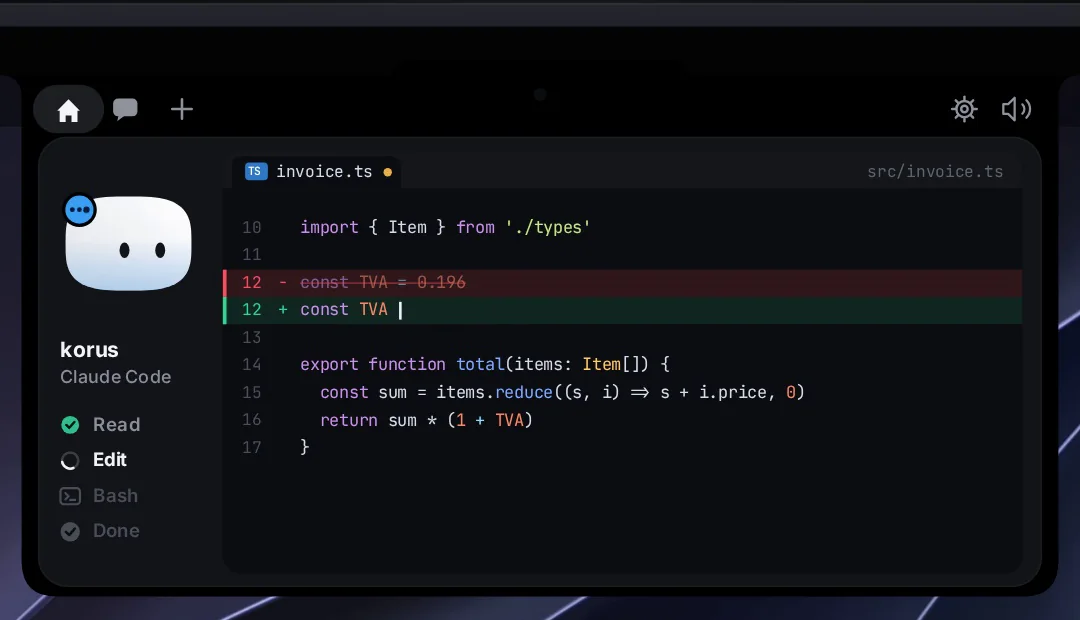
Coucou is the most popular island by stars (7,200), and the only one that runs on all three desktops: macOS, Windows and Linux.
Pros
- Full marks. Harnesses. It hooks into the CLIs you already run, and can start Claude Code in your own terminal.
- Full marks. Mobile. Its iPhone app, free on the App Store, allows with Face ID, answers questions and sends the next instruction, and there’s an Android app too.
- Full marks. Open source. MIT, though its name, mascot and sounds aren’t.
- Full marks. Desktop. The notch and the menu bar.
Cons
- Half marks. Triage. Approvals queue across sessions and take the card in turn, and ⌃⌥A jumps to whatever is waiting, but no model organizes them.
- Half marks. Sessions. They appear once they fire a hook, and there’s no search.
- Half marks. Memory. A color per agent.
- Half marks. Machines. A reverse SSH tunnel you set up yourself.
- Half marks. Editor. VS Code only.
- No marks. Automation. None.
Score: 6½. The best island on my list, and one that follows you off the Mac.
24. CodeIsland GitHub
Island · Swift · Phone: iPhone and Watch · MIT · Free
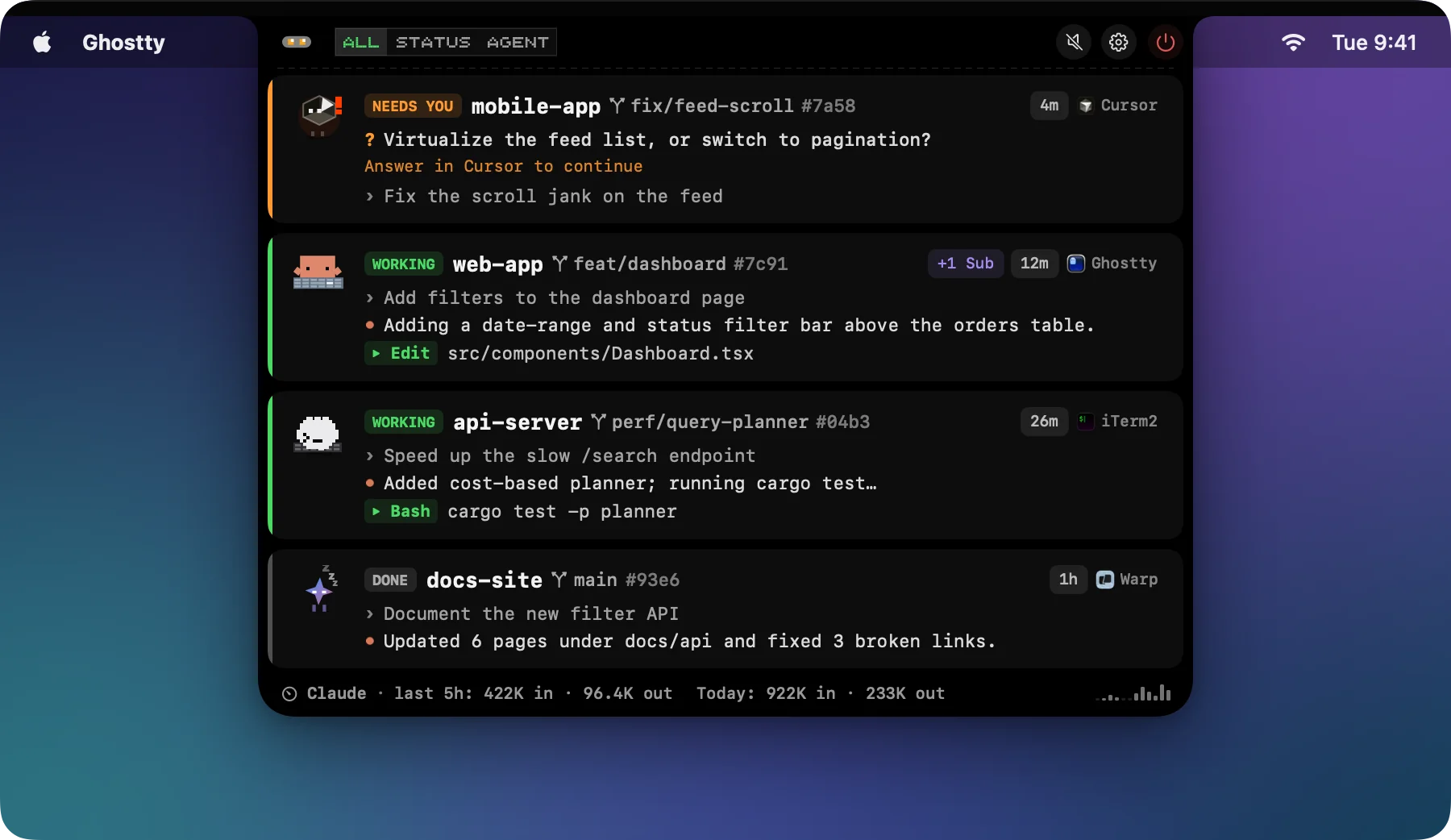
CodeIsland is close to Vibe Island’s feature list for free, with thirty-plus agents and 2,600 stars.
Pros
- Full marks. Harnesses. It hooks into your own CLIs, honoring each one’s config folder.
- Full marks. Open source and desktop. MIT and native, in the notch and the menu bar.
Cons
- Half marks. Triage. Approvals and questions wait in a queue, and answering one brings up the next, but by status alone.
- Half marks. Sessions. It finds sessions already running at launch, but keeps no history and has no search.
- Half marks. Mobile. An iPhone and Watch companion that works only on the same Wi-Fi or over Bluetooth.
- Half marks. Machines. SSH hosts beside local ones.
- Half marks. Editor. It opens the folder in Finder.
- No marks. Memory and automation. Neither.
Score: 5½. A free, open-source Vibe Island that reaches your wrist.
25. Open Island GitHub
Island · Swift · Phone: iPhone and Watch (build it yourself) · GPL-3.0 · Free
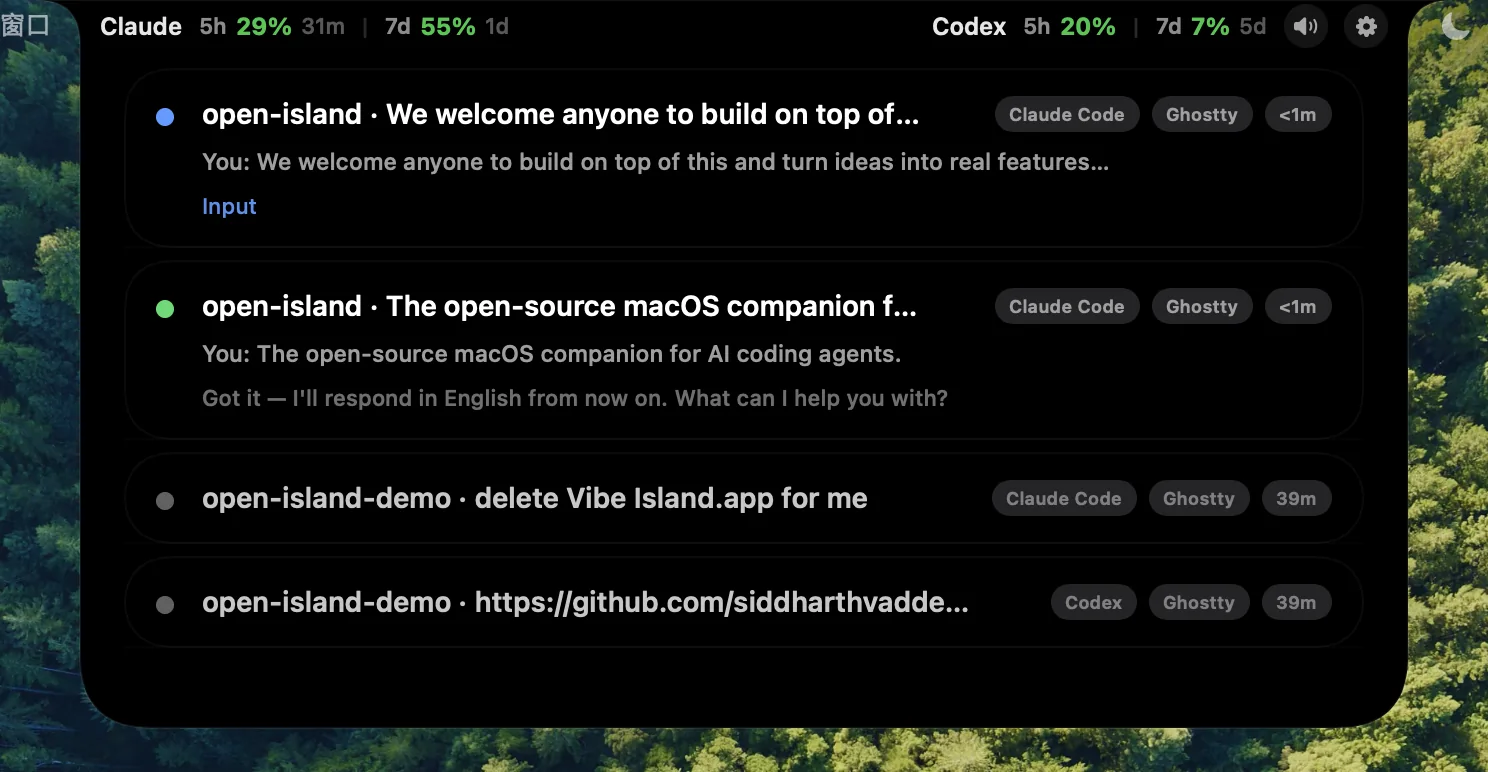
Open Island knows fifteen agents, and unusually for an island it doesn’t rely on hooks alone: it also reads Claude Code’s and Codex’s own session files.
Pros
- Full marks. Harnesses. It hooks into your own CLIs, and talks to the Codex app through its own app-server.
- Full marks. Desktop. Native, in the notch and the menu bar.
Cons
- Half marks. Triage. It sorts sessions by what needs an approval or an answer, by status alone.
- Half marks. Sessions. It finds the last 24 hours of Claude Code and Codex transcripts, with no search.
- Half marks. Mobile. iPhone and Watch apps that you build yourself.
- Half marks. Open source. GPL.
- Half marks. Machines. Claude Code over a forwarded SSH socket.
- Half marks. Editor. It jumps to the hosting IDE, or Finder.
- No marks. Memory and automation. Neither.
Score: 5. An open-source island that understands the agents’ own records, not just their hooks.
26. AgentPeek
Island · Swift · Phone: no phone app · Closed · $14.99 once
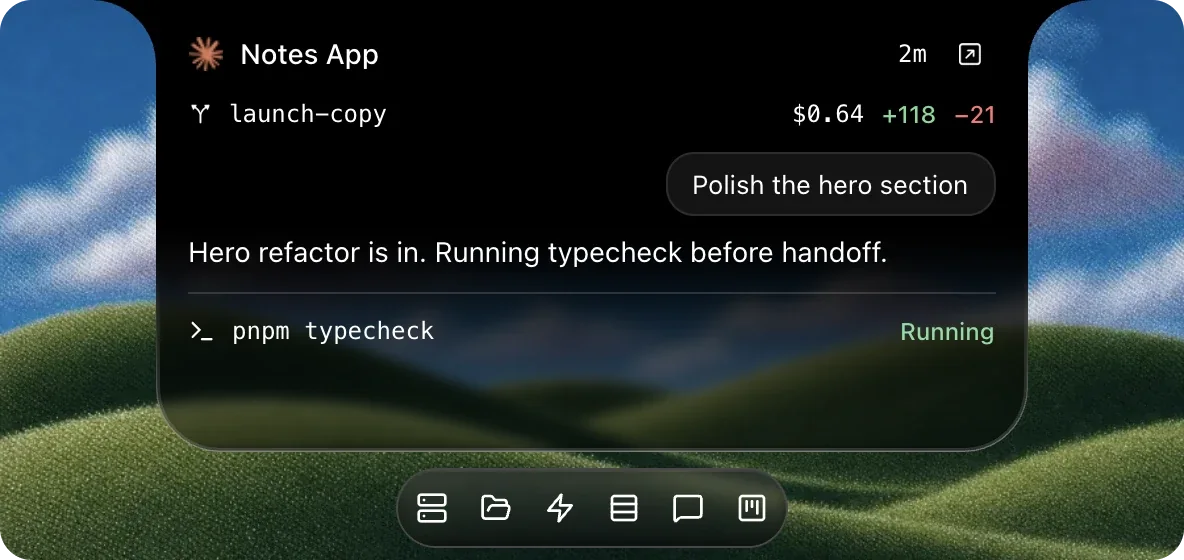
AgentPeek, by Bren Huber, knows 27 agents and reads them more ways than most: hooks, transcripts, the agents’ local databases and ACP.
Pros
- Full marks. Harnesses. It leaves your agents where they run, and can even send one a follow-up prompt.
- Full marks. Desktop. Native, in the notch and the menu bar.
Cons
- Half marks. Triage. Prompts stack in the notch and the arrow keys move between them, by status alone.
- Half marks. Sessions. Recent ones, with no search.
- Half marks. Memory. A board that fills itself.
- Half marks. Machines. A view-only dashboard of one agent on another machine.
- Half marks. Editor. Reveal in Finder.
- No marks. Mobile, open source and automation. None of them, for $14.99.
Score: 4½. Best for doing a little more than yes and no.
27. Ping Island GitHub
Island · Swift · Phone: no phone app · Apache-2.0 · Free
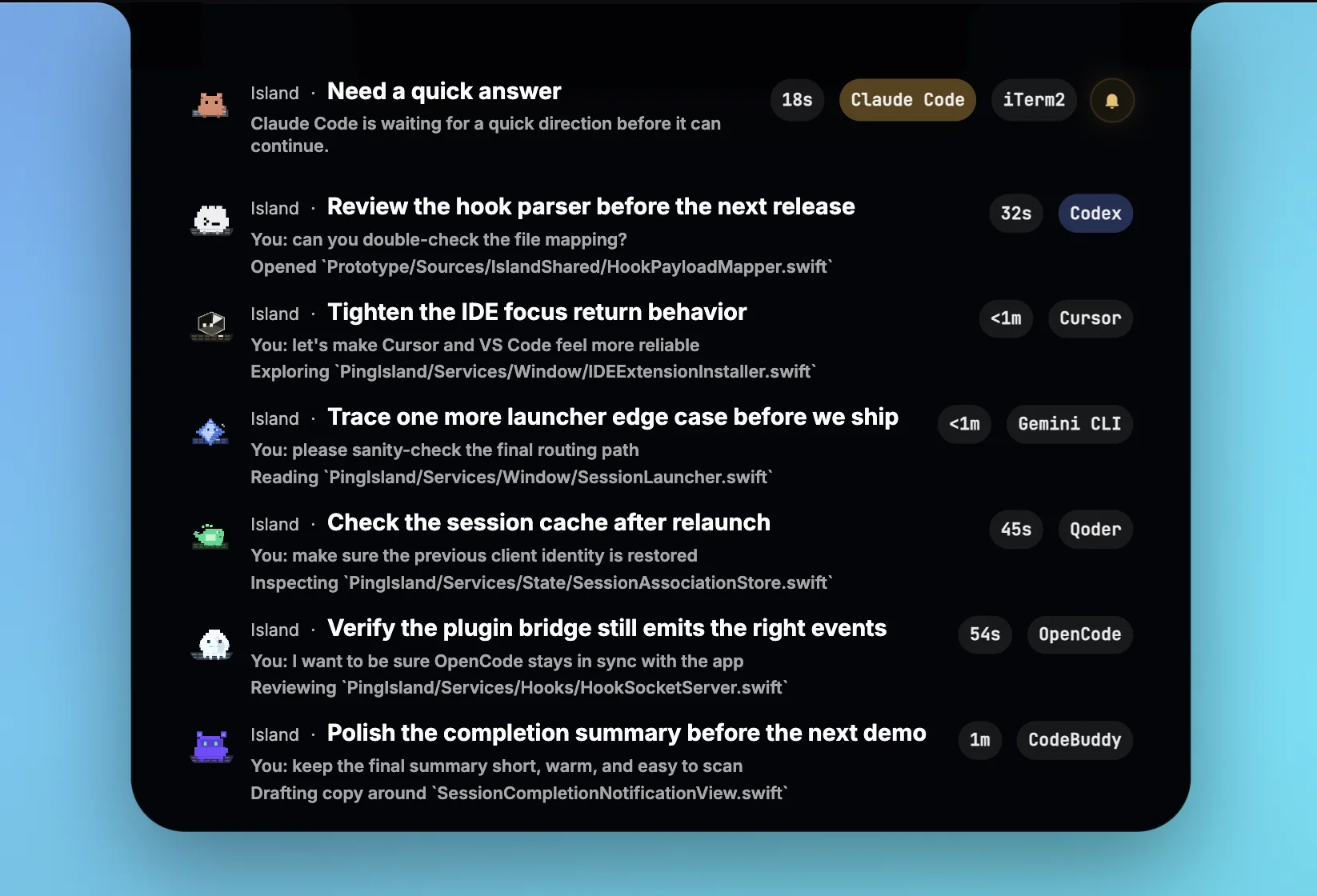
Ping Island knows about seventeen agents through its own hook bridge, Codex’s app-server and plugins.
Pros
- Full marks. Harnesses. It leaves your CLIs and the Claude and Codex apps where they are.
- Full marks. Open source and desktop. Apache-2.0 and native, in the notch and the menu bar.
Cons
- Half marks. Triage. The notch opens on the most urgent request, ranked by status and time rather than by what it asks.
- Half marks. Sessions. Codex’s 30 most recent threads, with no search.
- Half marks. Machines. SSH hosts in one view, though you can’t start sessions on them.
- No marks. Mobile, memory, automation and editor. None of them.
Score: 4½. Best for watching agents on SSH hosts, for free.
28. Agent Island
Island · Swift · Phone: no phone app · MIT (claimed) · Free, when you can get it
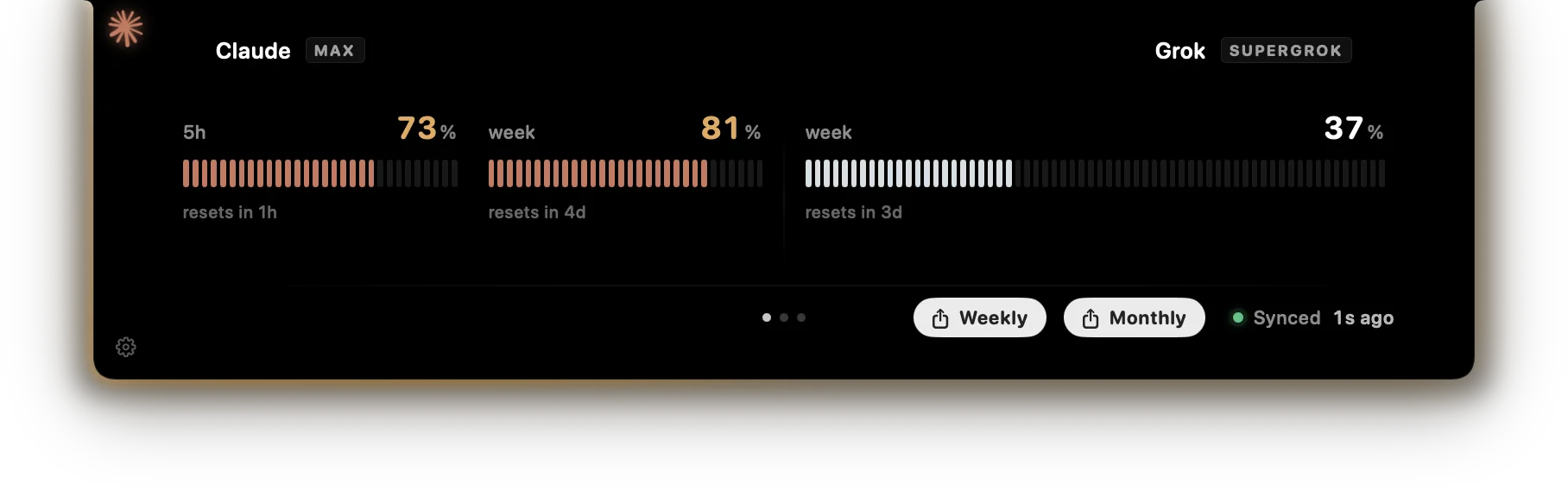
Agent Island reads transcripts instead of installing hooks, and runs on Windows as well as the Mac.
Pros
- Full marks. Harnesses. It reads your agents’ transcripts without touching their settings.
- Full marks. Desktop. A menu-bar app whose island takes the shape of the notch.
Cons
- Half marks. Triage. Its “It’s your turn” alarms queue rather than replace each other, by status alone. Its switch to the next Codex account when one runs out is capacity planning.
- Half marks. Sessions. It sees the ones already running, but has no search.
- Half marks. Open source. Its site says MIT, but its maker’s source is gone.
- No marks. Everything else. Nothing for mobile, memory, automation, machines or your editor.
- The bigger problem: you can’t download it. Its repo, its releases and its Homebrew tap have all disappeared.
Score: 3½. Best for nobody, until it comes back.
29. Vibe Island
Island · Swift · Phone: no phone app yet · Closed · $19.99 once
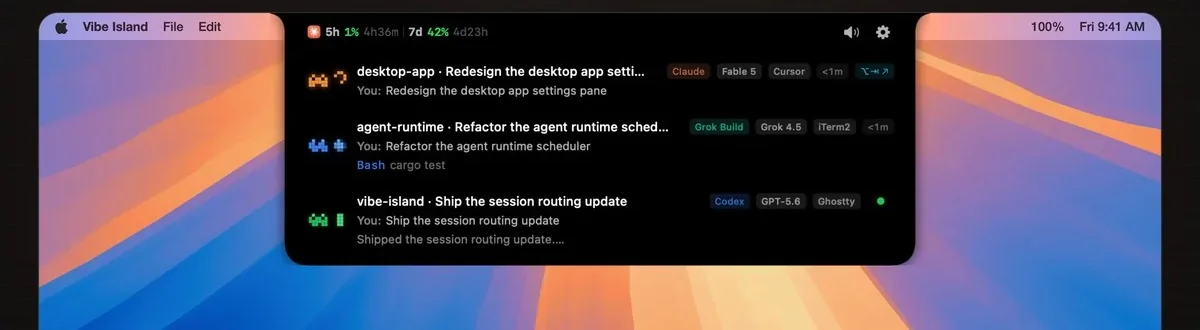
Vibe Island is the commercial leader and the one people mean when they say “island”: thirty agents, twenty-odd terminals, and a jump to the exact tab or split pane.
Pros
- Full marks. Harnesses. It watches every CLI where you already run it.
- Full marks. Desktop. The most polished native notch here.
Cons
- Half marks. Triage. A parallel approval queue with keyboard shortcuts, by status alone; it runs no model.
- Half marks. Sessions. No history, no search.
- Half marks. Machines. SSH hosts, approvals included.
- No marks. Mobile, open source, memory and automation. Its iPhone app is on a waitlist (for now it pushes notifications through a third-party app), and it’s closed.
- Couldn’t tell. Editor. I couldn’t tell whether it opens your editor.
Score: 3½. The most polished island money can buy, with a two-day trial.
30. AgentNotch
Island · native · Phone: no phone app · Closed · $9.99 once
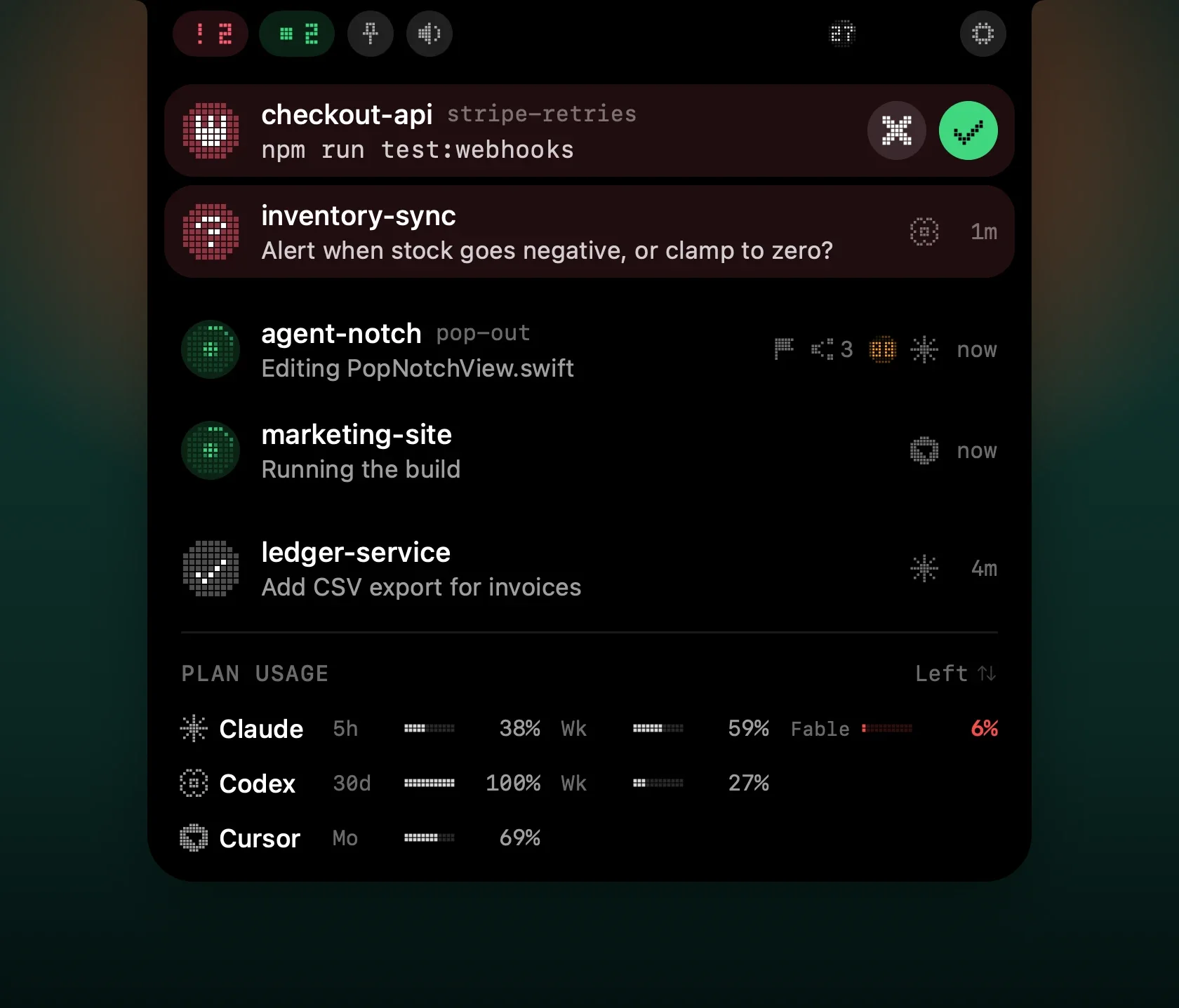
There are two AgentNotches. This is Piotr Jura’s paid app; a free AgentNotch on GitHub, from a different maker, only watches Claude Code and Codex and hasn’t been updated since January.
Pros
- Full marks. Harnesses. It watches nine agents wherever they run.
- Full marks. Desktop. The notch and the menu bar.
Cons
- Half marks. Triage. It shows the one session that needs you, worst first, by status alone.
- Half marks. Sessions. Live ones, plus some history at startup, with no search.
- No marks. Everything else. Nothing for mobile, open source, memory, automation, machines or your editor.
Score: 3. The cheapest paid island.
31. Notchi GitHub
Island · Swift · Phone: no phone app · GPL-3.0 · Free
Notchi covers Claude Code and Codex, with a mascot for every session, and needs a MacBook with a notch running macOS 15.
Pros
- Full marks. Harnesses. It hooks into Claude Code and Codex in your own terminal.
- Full marks. Desktop. Native, in the notch.
Cons
- Half marks. Triage. Mascots and sounds, but no queue; the model it runs reads the mood of your prompts, not what the agents need.
- Half marks. Sessions. Past transcripts feed only its cost dashboard.
- Half marks. Open source. GPL.
- No marks. Everything else. Nothing for mobile, memory, automation, machines or your editor.
Score: 3½. A small, free island for the two agents most people run.
32. Vibe Notch (formerly Claude Island) GitHub
Island · Swift · Phone: no phone app · Apache-2.0 · Free
Vibe Notch started out as Claude Island, one of the first of these, and other islands have been forked from it.
Pros
- Full marks. Open source and desktop. Apache-2.0 and native, in the notch and the menu bar.
Cons
- Half marks. Triage and sessions. The notch opens on a new approval, but there’s no queue, and sessions appear only once their hooks fire.
- No marks. Harnesses. Claude Code only.
- No marks. Everything else. Nothing for mobile, memory, automation, machines or your editor, and it has been quiet since April.
Score: 3. Claude Code alone, if you don’t mind that it has gone quiet.
Also on the Island
- NotchCode: $19.99 once for Claude Code, Gemini CLI and Codex, in tmux only. I couldn’t tell who makes it or whether it’s still sold.
- Notchcode (no relation): free and MIT, Claude Code and Codex, watching and jumping only, on Mac and Windows.
- Chimlo: free and GPL, Claude Code and Codex, allows and answers. One release, in July.
- Vibe Hub: a Claude Island fork for Claude Code and OpenCode, with SSH. Free source, but the app has a license check.
- HermitFlow: free and MIT, Claude Code, Codex and OpenCode, and it approves Codex by driving its terminal through Accessibility.
- Agent Visor: a menu-bar app for seven agents, from the maker of the older Claude Visor.
- MioIsland: Claude Code with an iPhone companion, free for personal use only (CC BY-NC).
The Shake-Out
This category is already consolidating:
- Meta (Facebook) bought Conductor, the best-funded independent, and announced its end, then reversed course nine days later. It lives on as “Conductor from Meta”, with nothing said about for how long.
- Emdash stopped developing its open-source desktop app, and its team product sits behind a waitlist.
- Paradev moved automations, remote access and its phone app behind its paid plan, though it did switch to MIT.
- Vibe Kanban, by one account, has wound down, and Agent Island’s maker has taken down every download.
- The landlords keep moving in: the Codex app folded into ChatGPT’s desktop app in July, and the vendors’ own apps get every new feature first.
Of course, this list is far from comprehensive. These apps launch every week, and I’m sure I’ve missed some. Thanks to zakra, whose lists gave me a starting point.13 Star counts are GitHub’s in mid-November 2026, and the screenshots are the makers’ own, from their sites and repositories.
What do you run your agents in?
Footnotes
-
Steve Yegge on X, 14 November 2026: “You probably don’t need one.” ↩
-
Paseo’s maker, on Hacker News. ↩
-
The memory figures are from a review on andrew.ooo; the reports are on Hacker News and again. ↩
-
AlphaSignal, on the open issues and the rewrite. ↩
-
Covered by heise and discussed on Hacker News; Thoughtworks’ Technology Radar puts it in Assess. ↩
-
Reported by SiliconANGLE. The reversal is in Conductor’s own changelog. ↩
-
zakra’s ADE tier list and ADEMark. ↩